Blog

What Is Event Management? Definition, Phases, and Where It Actually Breaks

Debbie Ashford

July 30, 2026

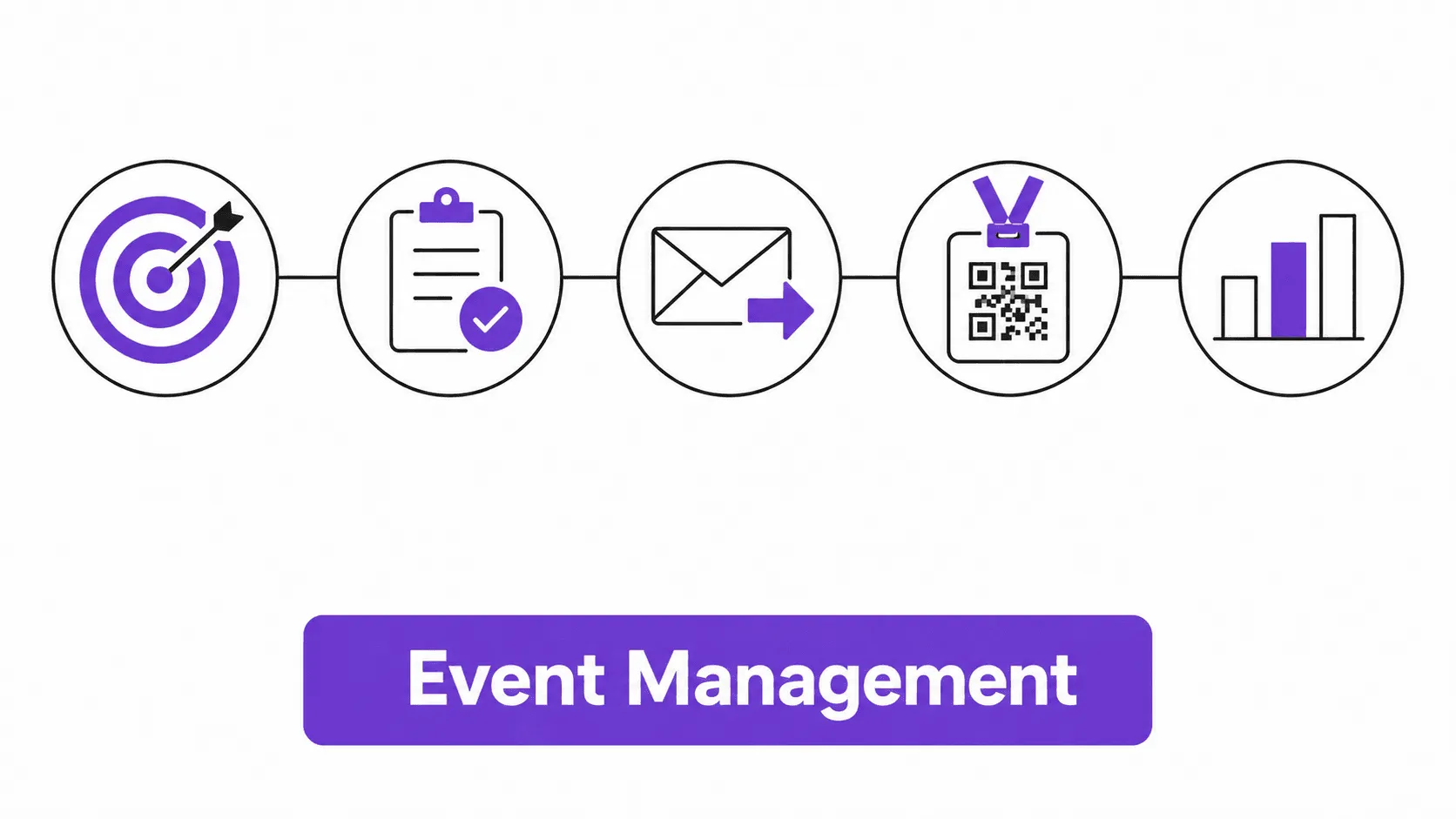
Icons showing the five phases of event management, from strategy to post-event analysis

Event management is the process of planning, organizing, and executing an event from initial concept through post-event reporting. It spans five phases: strategy, logistics and vendor coordination, marketing and registration, on-site execution, and post-event analysis. If you're responsible for any of that, you're doing event management, whether or not it's in your job title.


Most people who search this term weren't hired as event managers. An HR lead gets asked to run the annual town hall. A marketing coordinator inherits the user conference. An ops person becomes the default owner of the holiday party because they're "organized." None of them signed up for a new career. This guide covers what event management actually involves, where the process reliably breaks, and when you can skip the formal version entirely.

What Are the Five Phases of Event Management?

Event management isn't one skill. It's five separate phases that happen in sequence, each with its own failure mode.


Phase

What It Covers

Where Teams Get Stuck

Strategy

Setting the goal, budget, brand direction, and target audience before anything else

Skipping this and jumping straight to venue booking

Logistics and vendor coordination

Venue, catering, entertainment, AV, staffing, contracts

Vendor communication breaking down close to the date

Marketing and registration

Event website, email marketing, social media, RSVP tracking, ticketing

Low registration turnout, no-shows

On-site execution

Check-in, badging, attendee experience, session logistics

Registration desk lines, badge printing delays

Post-event analysis

Attendance data, ROI, feedback, stakeholder reporting

No data captured beyond a headcount


The strategy phase is where most first-timers under-invest. It's tempting to treat "goal" as obvious: just get people in a room. But a town hall meant to build company culture needs a different room layout, different entertainment, and a different budget split than a product launch meant to generate press coverage. Get the goal and target audience wrong here, and every later phase inherits the mistake.


The first three phases get most of the attention in event management courses and certification programs, and in most of the content already ranking for this topic. The last two get almost none, which is backwards, because on-site execution is where most first-time planners have their worst day.


Marketing and registration is where brand and message actually get tested against reality. An event website and a few social media posts can generate interest, but registration numbers and RSVP tracking are the first hard data point that tells you whether the goal from the strategy phase was realistic. A low registration count three weeks out is a signal to fix the marketing plan, not a reason to panic and add more social media posts.


Post-event analysis is the phase most teams skip entirely, which is a mistake, because it's the only phase that produces the data you need to justify next year's budget. Attendance numbers, session-level engagement, and feedback surveys turn a subjective "it went well" into a business case. Which sessions actually drew a crowd? Did sponsors get the visibility they paid for? What did the event actually cost per attendee against its stated goal?

What Does an Event Manager Actually Do, Day to Day?

Day to day, an event manager is a coordination hub between people and departments who don't talk to each other otherwise: the venue, the caterer, the AV vendor, finance, internal stakeholders, sponsors, and speakers. Budget tracking, vendor contracts, and a shared timeline take up more hours than anything creative.


A meaningful chunk of that coordination is stakeholder management that has nothing to do with attendees. If your event includes outside speakers, their logistics, fees, and scheduling are their own workstream; our guide on what a guest speaker actually is and how to work with one covers that in more detail. Sponsors and exhibitors add another layer: visibility commitments, booth space, and lead capture all need to be tracked against a contract, not just goodwill from the sales team. Even event design decisions that look creative, like room layout, signage, and stage design, usually trace back to a logistics constraint. Fire code capacity, AV sightlines, and a catering team's kitchen access needs all shape the room before anything creative gets decided. Food allergies and dietary restrictions belong on the registration form for exactly this reason; finding out on-site is the wrong time.


Risk and contingency planning is the part of the job description that rarely gets mentioned until something goes wrong. A caterer cancels four days out, a keynote speaker's flight gets delayed, a venue loses power during setup. Real risk management here isn't a compliance document; it's a backup vendor list and a clear call on who makes the decision at 6 a.m. on event day. None of this is really about creativity. It's project management with a hard, immovable deadline and a room full of people who showed up expecting things to work regardless of what broke behind the scenes.

Does Event Management Change for Virtual or Hybrid Events?

The five phases stay the same. What changes is which vendor and technology decisions matter most. A virtual event replaces venue and catering logistics with web conferencing platform choice, streaming quality, and time zone planning; a hybrid event has to run both tracks at once without either audience feeling like the afterthought.


This matters more for teams running events across multiple regions. A product launch in the US, a partner summit in Dubai, and a training session for a team in India don't share a time zone, a venue market, or, often, the same compliance requirements for attendee data. Hybrid and virtual formats are often the practical answer when flying a distributed team to one physical location doesn't make sense. Nunify's webinar and virtual events add-on is built for exactly that scenario: one registration and engagement layer across in-person, virtual, and hybrid formats, instead of a separate tool for each.

Where Does Event Management Actually Break Down?

Ask any event manager where their worst moments happened, and almost none of them say "the budget spreadsheet." They say the first thirty minutes of the event, at the registration desk.


Nunify data across 200+ events shows that 60-70% of attendees arrive in the first 30 minutes of an event, which means check-in has to absorb the heaviest load of the entire day in the shortest window. Manual check-in, a printed list and a pen, runs 45-90 seconds per person and processes 40-80 people per hour, with a 15-20% error rate from illegible handwriting and duplicate entries. App-based check-in with staff scanning runs 5-15 seconds per person and pushes throughput to 240-400 people per hour, with an error rate under 1%.


That gap is the difference between a smooth opening and a line stretching out the door while your keynote speaker waits to start. Badge printing compounds it: on multi-day events, badges get lost, damaged, or need name changes at a rate of 3-5% per day, which means your check-in process also needs a reprint workflow, not just an initial scan.


This is exactly the layer Nunify's event check-in software is built around: QR-code scanning, on-site badge printing, and kiosk mode for self-check-in, all working offline if the venue WiFi fails. One kiosk typically covers the same throughput as 2-3 staffed check-in stations, which matters when you're trying to keep headcount down at a US conference or a Dubai trade show with a tight AV and staffing budget. Kiosks aren't a full replacement for staffed check-in, though. About 30% of first-time attendees will stand at a self-service kiosk and ask a staff member for help anyway. The honest setup is staffed check-in as the default, with kiosks as overflow, not the other way around.


Accessibility is the other place execution quietly fails. A registration form that doesn't ask about mobility needs, dietary restrictions, or interpretation services turns into an on-site scramble that a five-minute form field would have prevented. It rarely shows up in an event management course, but it shows up on event day.

Event Management vs. an Event App: What's the Difference?

These two terms get used interchangeably, and they shouldn't be. Event management is what organizers do behind the scenes: budgeting, vendor coordination, registration, email communication, reporting. An event app is what attendees hold in their hand during the event itself: agenda, networking, session feedback, sponsor discovery.


A small internal event might need event management with no event app at all. A large public conference usually needs both, run by the same platform so attendee data doesn't have to be reconciled across three separate tools afterward. We've written a full breakdown of what an event app is and when you actually need one if you're trying to figure out which side of this your event needs.

What Tools Does Event Management Actually Require?

Modern event management runs on a small stack of tools rather than one piece of software, even when a single platform covers all of it. Technology has replaced most of what used to live in a shared spreadsheet, but the underlying jobs it has to do haven't changed.


Function

What It Handles

Why It Matters

Registration and RSVP

Event website, ticketing, guest list, confirmations

First data touchpoint; sets attendee expectations

Back-office planning

Budget tracking, vendor contracts, task assignment

Replaces spreadsheets that break under multiple owners

On-site check-in and badging

QR scanning, badge printing, kiosk mode

Absorbs the highest-traffic window of the event

Attendee-facing app

Agenda, networking, session feedback, push notifications

Where attendees actually spend their time on-site

Post-event analytics

Attendance data, engagement scoring, ROI reporting

Turns the event into a business case for the next one


Nunify splits this across three modules. SNAP handles back-office planning, budgeting, and vendor management. Qzero handles guest management, from invite through RSVP, ticketing, check-in, and badging. The attendee-facing app runs on top of both, with Zuno, Nunify's AI assistant, answering attendee questions in the app, over WhatsApp, or by email, so your team isn't fielding "where's the session" questions all day.


Pricing across this category varies by attendee count, feature tier, and whether check-in and badging come standard or as an add-on. A fair comparison across vendors means pricing out your actual attendee count and event format, not a headline starting price.

When Do You NOT Need a Formal Event Management Process?

Not every event justifies a platform, a project plan, and a stakeholder review meeting. Nunify data across 200+ events puts the rough threshold at 50 attendees on the low end and 75 on the high end: under 50 attendees, a shared spreadsheet, a group email, and a simple RSVP form usually cover it. Above 75, the coordination overhead of multiple vendors, a real registration flow, and on-site check-in starts to outweigh the cost of a proper process or tool.


A 15-person team dinner does not need badge printing. A 40-person internal training session does not need a dedicated event app. The instinct to formalize everything, because "event management" sounds like it needs software, wastes time and budget on small internal gatherings that just need a calendar invite and a headcount.


Where this shifts fast is multi-day or multi-location events, even at low attendee counts. A 30-person offsite across three cities in the US and UAE has more logistics complexity than a 200-person single-venue conference. Vendor coordination and travel logistics scale with locations, not just headcount.

FAQs

  • Event planning is usually the pre-event work: strategy, logistics, marketing, and registration. Event management includes planning but also covers on-site execution and post-event reporting, the parts that happen once attendees show up and after they leave.

  • No. Many event managers come from marketing, HR, or operations backgrounds and learn logistics and vendor coordination on the job. Formal education, certifications, and degree programs exist and can help with career advancement, but they aren't required to run an event well.

  • Most teams end up with some combination of a registration platform, a check-in and badging tool, an attendee-facing app, and a budget or vendor tracking system. Some platforms, including Nunify, combine all of this into one system so attendee data doesn't have to be reconciled across tools after the event.

  • Pricing varies widely by attendee count, feature set, and whether check-in and badging are included or sold as an add-on. Most platforms price by attendee tier, event count, or a combination of both, so get a quote based on your organization's actual event size rather than a published starting price.

  • Event management is a specialized form of project management with an immovable deadline and a live, in-person or virtual execution phase. Standard project management often allows for schedule slippage; an event date does not move, which is why vendor coordination and contingency planning matter more here than in most other project types.

  • Yes, if you're collecting registration or attendee data. Depending on where your attendees are based, that can mean GDPR in the EU, similar data privacy rules across the UAE, or US state-level requirements. Registration platforms that store this data should handle consent and storage in a way your company's legal or compliance team has actually reviewed, not just assumed is fine.