📌 Struggling with event engagement? This event app fixed it! 

Download now

📌 Struggling with event engagement? This event app fixed it! 

Download now

What Is an Event App? Features, Use Cases, and When to Skip One

Wed, 15 Apr 2026

image-alternative-text
Sara Roy

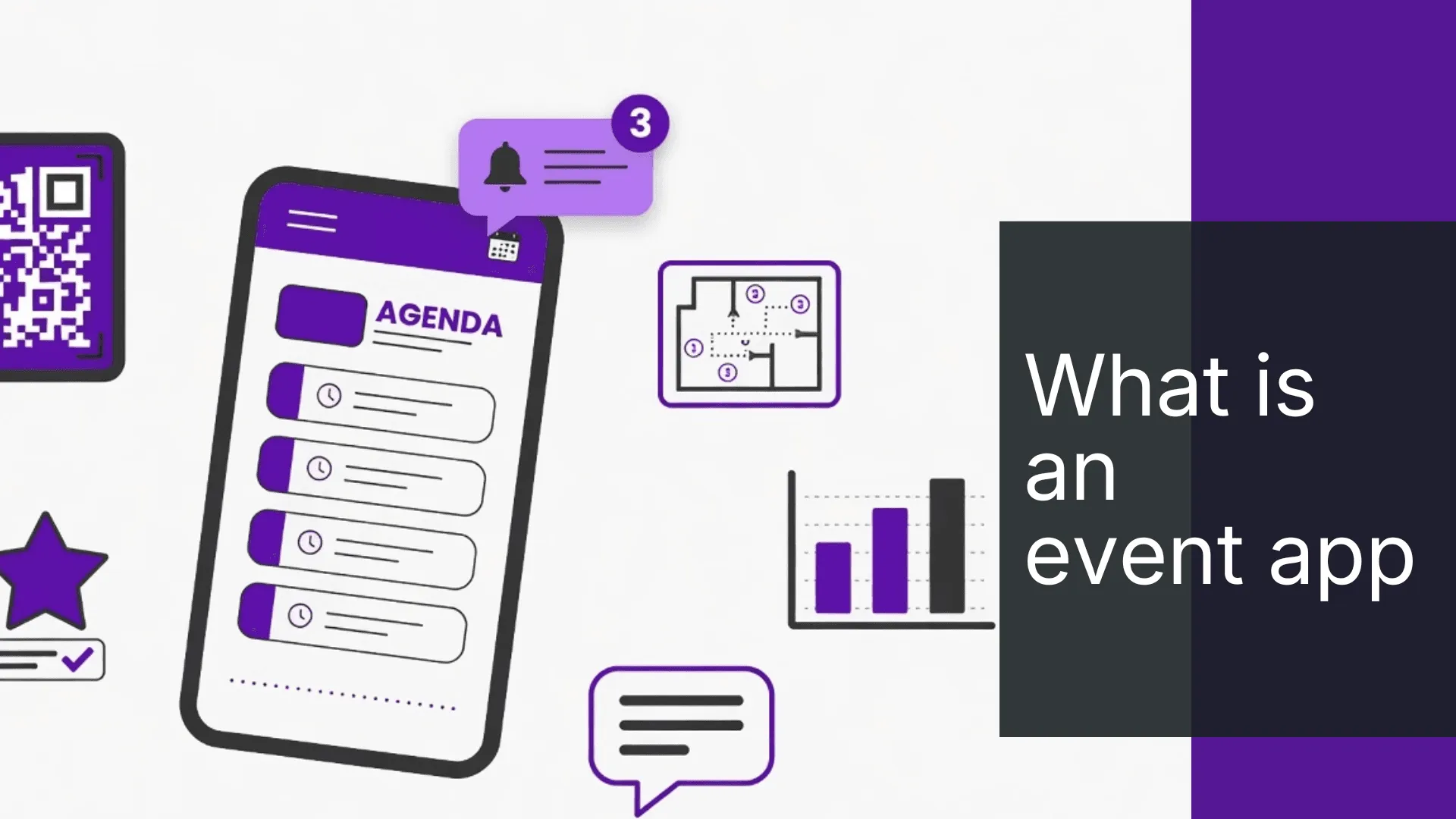
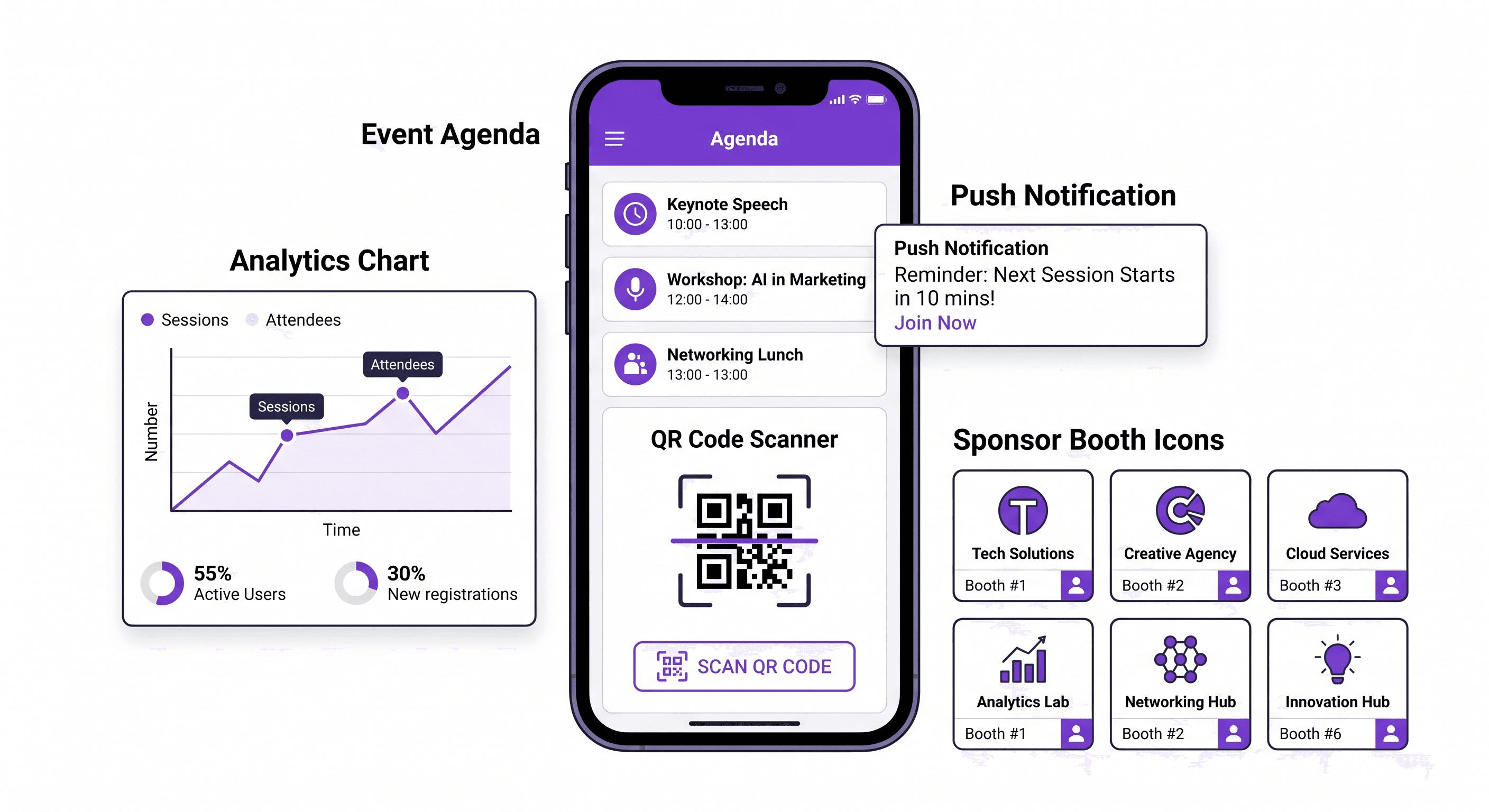
An event app is a mobile application that gives attendees one place to navigate schedules, find sessions, message other attendees, respond to polls, scan QR codes, and receive push notifications during a conference, trade show, or corporate event. For organizers, it is the communication and data layer that sits between your event management software and the people in the room.

Most teams buy it thinking it is a digital agenda. It is not. It is the difference between an event that feels run by professionals and one held together with WhatsApp messages.

What Does an Event App Actually Do?

The short answer: it runs four jobs simultaneously that no other single tool handles.

Job

What attendees see

What organizers get

Information delivery

Agenda, speaker profiles, session details, venue maps, floor plans

Fewer repeated questions to staff

Communication

Push notifications, real-time announcements, schedule change alerts

Fast response when logistics shift

Engagement

Live polls, Q&A, online chat, gamification, feedback forms

Session participation data

Measurement

Sponsor pages, exhibitor listings, lead generation, QR code scans

Analytics and ROI signals

The management layer underneath all of this -- check-in, badge printing, access control, data collection -- is what separates a basic event app from a full event technology stack.

Nunify data across 200+ events shows that 60-70% of attendees arrive in the first 30 minutes of an event. Without a mobile app handling check-in and real-time communication in that window, your staff is managing chaos manually instead of running the room.

What Features Should an Event App Have?

Do not let a vendor lead with gamification or artificial intelligence before the basics work. Here is what actually matters.

Core features every event app needs:

Feature

Why it matters

Agenda and session schedule

Attendees plan their day without asking staff

Speaker profiles

Sessions get context; networking gets easier

Personalized schedule builder

Attendees save sessions to their own agenda

Push notifications

Critical for last-minute room changes, delays, announcements

Maps and venue navigation

Wayfinding in large venues is underrated until people are lost

QR code check-in

Reduces check-in time from 45-90 seconds to under 15 (Nunify data, 200+ events)

Attendee list and networking

People find and message each other without exchanging business cards

Online chat and messaging

Starts conversations before and during the event

Live polls and Q&A

Real-time engagement during sessions

Feedback and surveys

Session-level data, not just end-of-day forms

Sponsor and exhibitor listings

Gives partners visibility and lead capture

Analytics dashboard

Shows what sessions, features, and sponsors actually got used

Features worth evaluating next:

Feature

When it adds value

Gamification

Works well at trade shows and sales kickoffs; weak ROI at small internal events

Badge printing integration

Critical for events over 200 attendees

White-label branding

Matters if your sponsors or clients expect a branded experience

Single sign-on (SSO)

Required for enterprise and regulated industries

Live streaming

Needed for hybrid events and virtual events

Lead generation tools

High value for exhibitors at trade shows

Artificial intelligence

Useful for attendee matching and session recommendations; still early for most use cases

Customer relationship management integration

Connects event data to your sales pipeline (Salesforce, HubSpot)

Start with the first table. If a vendor cannot do those well, the second table is irrelevant.

What Is the Difference Between an Event App and Event Management Software?

This confusion costs teams money.

Event management software is what organizers use to run the event behind the scenes: registration, event website, email communication, check-in workflows, reporting.

An event app is what attendees use during the event itself: agenda, networking, chat, maps, feedback, sponsor discovery.


Event management software

Event app

Primary user

Organizer team

Attendees, exhibitors, sponsors

Main job

Registration, logistics, data

Navigation, engagement, communication

When used

Weeks before and after

During the event

Output

Data, reports, invoices

Experience, participation, ROI signals

Some platforms handle both in one system. Nunify does. Cvent does at enterprise scale. Most point solutions do not.

The problem with disconnected tools: your registration data lives in one place, your mobile app in another, your analytics somewhere else. Event week becomes about stitching data instead of running the event.

Which Events Actually Need an Event App?

The honest answer: not every event.

Skip the event app if:

  • Under 50 attendees
  • Single session, no concurrent tracks
  • No sponsors or exhibitors to showcase
  • No networking goal
  • Event runs under 3 hours
  • Your audience will not download a mobile app

A 40-person board dinner does not need a mobile app. A 2-hour internal training probably does not either.

An event app makes sense when:

Complexity signal

Why the app pays off

75+ attendees

Check-in speed and communication alone justify the investment

Multiple concurrent sessions

Personalized schedule becomes essential

Sponsors or exhibitors

Lead generation and visibility tools deliver measurable ROI

Hybrid or virtual event format

App becomes the content delivery and engagement layer

Multi-day format

Push notifications and schedule management reduce attendee confusion

Networking is a stated goal

Chat, attendee directory, and matchmaking drive actual connections

Trade show format

QR code lead capture replaces business cards and paper forms

Nunify data across 200+ events puts the worth-it threshold at 75 attendees. Below 50, the management overhead of setting up and populating the app often costs more than it saves.

What Types of Events Use Event Apps?

The "conference app" label undersells the use case. Event apps are used across:

  • Annual conferences -- agenda management, speaker profiles, session feedback, networking
  • Trade shows -- exhibitor listings, lead generation via QR code scan, sponsor visibility
  • Sales kickoffs -- gamification, push notifications, internal communication, leaderboards
  • Association events -- budget-friendly plans, membership networking, fundraising
  • Corporate internal events -- employee experience, team engagement, feedback collection
  • Partner summits -- white-label branding, CRM integration, lead tracking
  • Hybrid events -- live streaming, virtual attendee participation, combined analytics
  • Virtual events -- session access, online chat, polling, digital sponsor booths

For hybrid events specifically, the mobile app often becomes the only experience layer that works equally for in-room and remote attendees. Your streaming platform handles video. Your event app handles everything else.

What Goes Wrong When You Pick the Wrong Event App?

Most event apps look good in demos. Here is what breaks on event day.

Failure point

What it looks like in real life

Slow loading

Attendees abandon the app at check-in -- the worst possible moment

Weak push notifications

Time-sensitive announcements arrive late or not at all

Confusing navigation

Staff fields the same questions the app was supposed to answer

Maps nobody can use

Wayfinding fails; sessions start with half the room

Chat with no adoption

Networking tool becomes dead weight

Sponsor pages with no traffic

Exhibitors do not renew; ROI conversation goes badly

Analytics that do not help

Post-event reporting is guesswork instead of data

No CRM integration

Lead generation data stays stuck in the app instead of your pipeline

The hidden cost vendors never mention: a clunky event app does not just fail to help. It actively damages the attendee experience. People blame the event, not the software.

Before you buy, ask to see the app running on a real attendee's phone -- not a laptop demo. Navigation speed and mobile usability decide whether people actually use it.

How Does Gamification Work in an Event App?

Gamification in an event app means using points, leaderboards, badges, and challenges to drive specific attendee behaviors -- visiting sponsor booths, completing feedback forms, attending sessions, connecting with other attendees.

Done well at trade shows and sales kickoffs, it measurably increases sponsor booth traffic and session participation. Done badly -- or at the wrong event -- it feels forced and gets ignored.

Nunify's Qzero product handles this as a dedicated engagement layer. The data signal that actually matters: completion rate on challenges, not just leaderboard participation. If fewer than 30% of attendees engage with gamification after the first hour, the mechanic is wrong for that audience.

Gamification is not a reason to pick an event app. It is a feature to evaluate after everything else works.

What Should You Look for When Evaluating Event Apps?

Five questions that matter more than any demo:

1. Does it work on the attendee's first try? If someone needs instructions to navigate the agenda, the mobile app has already failed. User experience and usability are the real product.

2. Can your team update content without a support ticket? Schedule changes happen at every event. If updating a room or speaker requires contacting vendor support, you have a logistics problem.

3. Does it handle check-in and badge printing in the same system? Disconnected check-in technology creates the worst bottleneck of event day. QR code scanning, badge printing, and access control should be one workflow.

4. Can sponsors measure ROI? Sponsor visibility without data is a hard renewal conversation. Look for lead generation tools, booth traffic analytics, and profile engagement metrics.

5. Does it connect to your CRM and registration data? Event data that stays trapped in a mobile app is wasted. Single sign-on, API access, and CRM integration (Salesforce, HubSpot) turn event analytics into pipeline.

Nunify vs. Other Event Apps

Cvent is the category leader at enterprise scale -- strong event management software, deep integrations, built for procurement-heavy buying processes. The tradeoff is complexity and cost that most mid-market teams do not need.

Nunify is built for teams running 10-200 events per year who need the full stack -- mobile app, check-in via SNAP, gamification via Qzero, and AI attendee assistance via Zuno -- without the enterprise implementation timeline. Geographic focus: US, UAE, and India.

For teams evaluating alternatives, the right comparison is not feature lists. It is: which platform can your team actually run without a dedicated admin?

FAQ

  • An event app is a mobile application attendees use during a conference, trade show, or corporate event to view the agenda, navigate the venue, message other attendees, respond to polls, and receive real-time push notifications. Organizers use it to communicate, collect feedback, and measure engagement.

  • No. Event management software handles registration, logistics, and reporting on the organizer side. An event app is the attendee-facing mobile experience used during the event itself. Some platforms like Nunify and Cvent combine both in one system.

  • Not always. Nunify data across 200+ events puts the practical threshold at 75+ attendees. Below 50, setup overhead typically outweighs the benefit. The stronger signal is complexity: multiple sessions, sponsors, networking goals, or hybrid format.

  • Yes. For hybrid events, the app handles agenda management, live streaming access, chat, polling, and networking for both in-person and remote attendees. For virtual events, it becomes the primary event experience layer.

  • Gamification uses points, leaderboards, and challenges to drive specific attendee behaviors -- visiting sponsor booths, completing surveys, attending sessions. It works best at trade shows and sales kickoffs. It needs a dedicated engagement layer (like Qzero) to run well, not just a bolted-on points system.

  • Modern event apps connect to check-in software that scans QR codes from the mobile app or confirmation email and prints badges on-site. Nunify SNAP reduces check-in time to under 15 seconds per person vs. 45-90 seconds for manual lists (Nunify data, 200+ events).

  • The most important: CRM (Salesforce, HubSpot), registration platform, badge printing, single sign-on for enterprise, and analytics export. Without CRM integration, lead generation data from exhibitors and sponsors stays trapped in the event app instead of feeding your sales pipeline.

Gemini_Generated_Image_5j29r55j29r55j29.png