
What Is an Event Check-In App?
An event check-in app is mobile software that replaces paper guest lists with digital attendee tracking. Staff scan QR codes or search names on a tablet to check in guests in 2-5 seconds. The software syncs attendance data across devices in real-time, triggers on-site badge printing, and works offline when venue WiFi inevitably fails. Most check-in apps run on standard iPads and Android tablets no proprietary hardware required.
If you've ever watched a registration line snake through a hotel lobby while staff flip through printed spreadsheets, you understand the problem this software solves.
How Event Check-In Software Works
Before the event: Import your guest list from a spreadsheet, registration platform, or CRM. The mobile app generates a unique QR code for each attendee, delivered via email confirmation or Apple/Google Wallet.
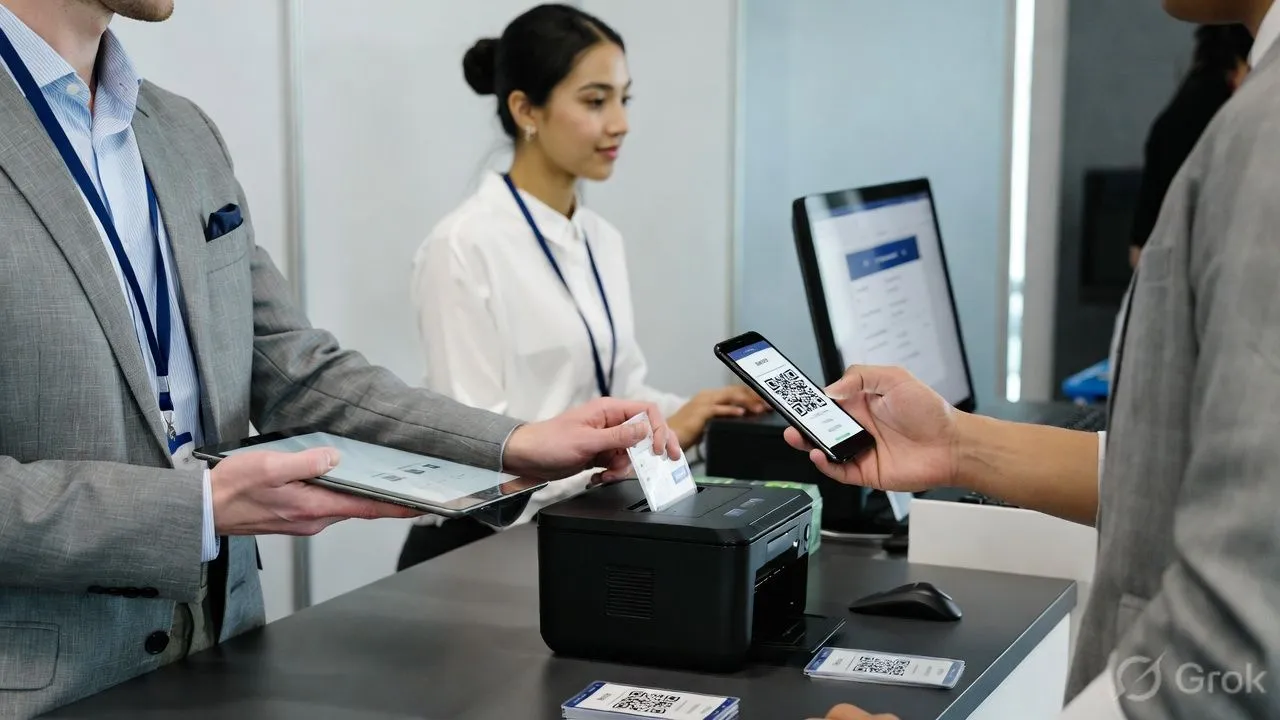
At the door: Staff scan the QR code from the attendee's phone screen. The app validates the ticket, marks them checked in, and fires the badge printer. Whole interaction: 3 seconds. For walk-ins or attendees who "can't find the email," staff search by name and check in manually still under 10 seconds.
During the event: A dashboard shows real-time headcount. You know exactly who's arrived, who's missing, which sessions are at capacity. No more walkie-talkie guessing.
After: Export attendance data instantly. No end-of-day data entry. No deciphering handwriting. The data's already clean for follow-up emails, sponsor reports, or CE credit submissions.
Event Check-In App vs Manual Check-In
*Based on Nunify data across 200+ events comparing manual registration sheets to digital check-in records.
The real math: A 500-person conference with manual check-in requires 6-8 staff working registration for 2+ hours before doors. Add the pre-event time printing 500 badges, alphabetizing them into boxes, then searching through those boxes when "Martinez" swears she registered but isn't in the M's.
With a check-in app, 2-3 staff handle the same volume. No pre-sorting. The badge prints when Martinez scans her QR code, with her name spelled however she typed it during registration.
Core Features of Event Check-In Apps
QR code scanning : The table stakes. Attendee shows QR code on their phone, staff points tablet camera at it. 2-3 seconds, done. This is where the 45-seconds-to-3-seconds gap comes from.
Name search fallback : Because someone always "left their phone in the car." Staff types first few letters, selects from filtered list, checks in. Still faster than paper.
On-site badge printing : The mobile app triggers a wireless badge printer the moment someone checks in. No pre-printing 500 badges. No sorting. No wasted badges for the 15-20% who no-show.
Offline mode : This is where vendors lie to you. They'll demo the app on their office WiFi and it looks great. Then you're at a convention center where 3,000 people are hammering the same network and your cloud-based app is spinning.
A real check-in app stores the entire guest list locally on the tablet. It checks people in offline and syncs when connection returns. If a vendor can't explain exactly how their offline mode works, that's your answer.
Real-time dashboard : Live attendance count, check-in rate (guests per minute), breakdown by ticket type or session. Useful for knowing when to open overflow rooms or send "we're starting in 10 minutes" push notifications to stragglers.
Kiosk mode (self-service) : Attendees scan their own QR code at an unattended iPad station. Sounds great in theory. In practice, 30% of attendees will stare at it confused and ask for help anyway. Best as a supplement to staffed check-in, not a replacement.
Session-level tracking : Beyond event entry, tracks attendance at individual sessions. Essential for continuing education credits, capacity management, and understanding which sessions actually drew crowds vs. which had 50 registrants and 12 attendees.
When Do You Need Event Check-In Software?
Get the app:
- 100+ attendees (the break-even point for most pricing)
- Multiple sessions requiring separate check-in
- On-site badge printing
- CE credits or compliance that requires attendance verification
- Repeat events where you're building attendee data over time
- Events where first impression matters (corporate, high-touch)
Probably skip it:
- Under 50 attendees (a clipboard genuinely works fine)
- Single-session event, no badges, informal vibe
- One-off event where you'll never see these people again
The gray zone: 50-100 attendees. This is where most organizers overthink it. Ask yourself: do you need the data afterward? If yes, use the app. If you just need bodies in seats and don't care about tracking, save the money.
What to Look For (And What to Avoid)
Test offline mode yourself. Turn off WiFi on the demo tablet. Try to check someone in. If it doesn't work, that vendor is disqualified. I've seen too many events where the "cloud-based" check-in app became a "sorry, we're having technical difficulties" check-in app.
Confirm your badge printer works. Not all check-in software supports all printers. Before you buy, test with your actual hardware. Dymo, Brother, and Zebra are widely supported. Proprietary printer requirements are a red flag.
Ask about speed at scale. A mobile app that handles 200-person meetups beautifully may choke at 2,000. Ask for case studies at your event size. "It scales" is not an answer.
Check the integration list. Does the software connect to your registration platform? Your CRM? Your marketing tools? Manual CSV imports work, but real-time sync saves hours and prevents the "they registered but they're not in the app" problem.
Understand session check-in. If you need individual session attendance (not just event entry), confirm the app supports it. Many only track overall event check-in. You don't want to discover this limitation the week before your CME conference.