
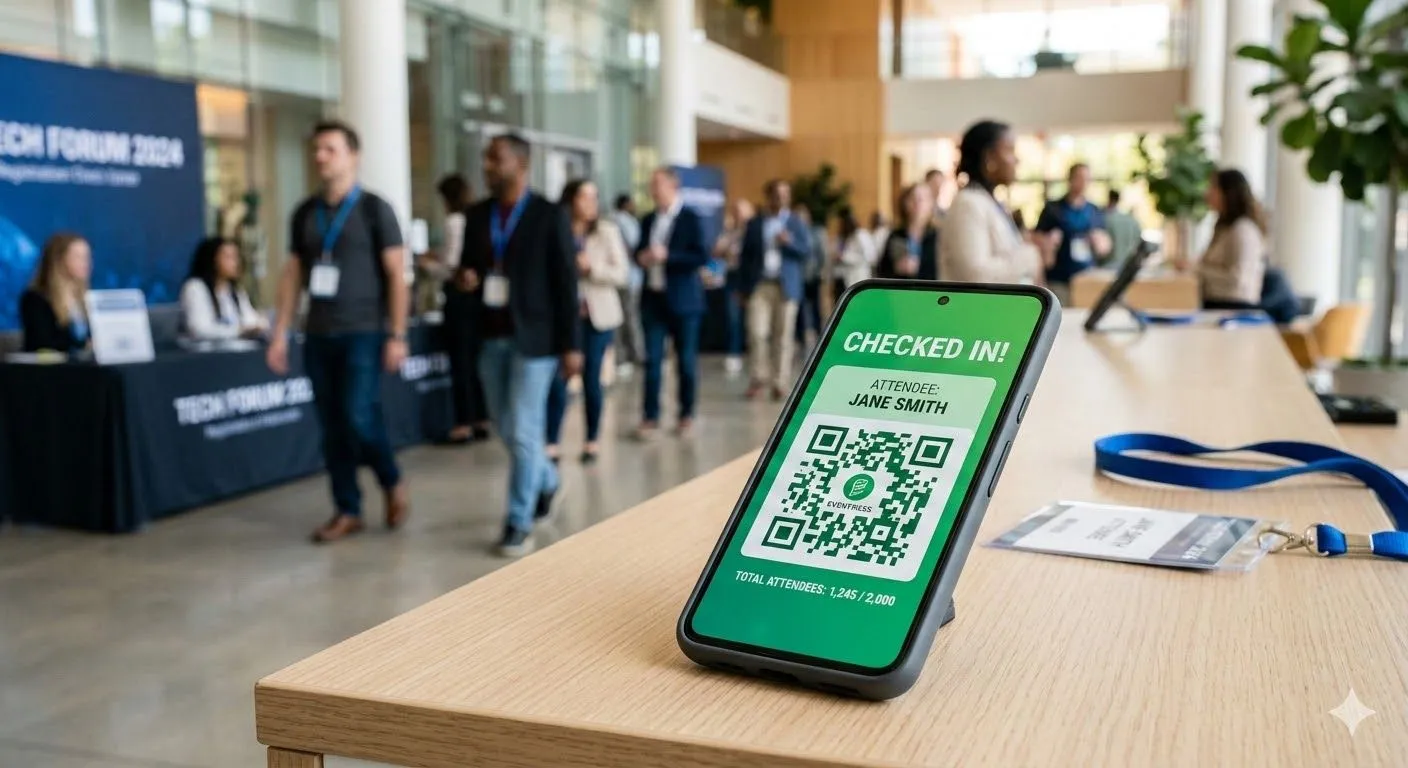
The features that matter in an event check-in app depend on your event size, format, and data needs. Every app lists QR code scanning, badge printing, and real-time dashboards. The difference is in execution: offline reliability, scanner speed, and how the software handles the 50 edge cases that happen at every event.
Must-Have Features (Non-Negotiable)
These features separate functional check-in software from glorified spreadsheets. If an app is missing any of these, keep looking.
QR Code Scanning
Every mobile check-in app claims QR code support. What matters is scan speed and reliability.
What to test:
- Can it scan a cracked phone screen displaying a QR code?
- Does it work with printed QR codes on crumpled paper?
- How fast does it scan in low light?
Good mobile check-in apps scan in under 2 seconds. Great ones scan in under 1 second. That difference compounds when you're processing 200 attendees in 30 minutes.
The camera quality on your tablet or iPad matters here. Older devices with slower cameras create bottlenecks regardless of the mobile app software.
Offline Mode
WiFi fails at events. It's not a question of if, it's when. Your check-in app needs to work without internet access.
What offline mode should do:
- Cache the full attendee list locally before the event
- Process check-ins without any network connection
- Queue data and sync automatically when connection returns
- Show clear status indicators (offline/syncing/synced)
Test this before your event. Put your phone in airplane mode and try to check in 10 people. If it fails, find a different app.
Based on Nunify data: roughly 15% of events experience WiFi issues during check-in. The events that planned for offline mode barely noticed. The ones that didn't had lines out the door.
Name Search Fallback
QR codes fail. Attendees forget their confirmation emails. Phones die. You need a fast way to look someone up by name.
What good name search looks like:
- Partial matching (typing "Jon" finds "Jonathan")
- Fuzzy matching (typing "Smith" finds "Smyth")
- Search across first name, last name, email, company
- Results appear as you type, not after hitting "search"
The difference between a 1-second lookup and a 10-second lookup is the difference between a smooth check-in desk and an angry line.
Real-Time Dashboard
You need to know what's happening during your event, not after. Event management without real-time data is guesswork.
Essential dashboard data:
- Total checked in vs. registered
- Check-ins per hour (to spot bottlenecks)
- No-show rate as it develops
- VIP arrival notifications
The dashboard should be accessible from any browser, not just the check-in device. Your event manager walking the floor should be able to pull it up on their phone. Most mobile apps include a companion web dashboard for this purpose.
Important Features (Strongly Recommended)
These features aren't required for basic check-in, but they solve real problems at scale.
Badge Printing Integration
On-demand badge printing eliminates pre-printed badge waste and walk-in chaos.
What to verify:
- Compatible printer models (Dymo, Zebra, Brother are common)
- Badge template customization (logo, colors, attendee type)
- Print speed (under 5 seconds per badge is acceptable)
- Handling of special characters and long names
The printer compatibility question is critical. Not all check-in software works with all badge printers. Verify your specific hardware before committing.
Session-Level Check-In
If your event has breakout sessions, workshops, or tracks, you need more than event-level check-in. Session management is where many mobile check-in apps differentiate themselves.
Session check-in should include:
- Separate QR codes or tap-in for each session
- Capacity tracking (how many seats left?)
- CE credit / compliance reporting per session
- Session analytics (which talks were popular?)
This feature is non-negotiable for conferences with continuing education requirements. Manual session tracking creates audit nightmares.
Self-Service Kiosk Mode
Kiosks let attendees check themselves in without staff assistance.
Kiosk requirements:
- Lock the device to the check-in app (no escaping to home screen)
- Large, clear UI for first-time users
- Timeout and reset between attendees
- Badge printing triggered automatically after check-in
Based on Nunify data across 200+ events: expect 70% of attendees to use kiosks successfully on first try. The other 30% need staff help. Plan accordingly.
Walk-In Registration
Not everyone pre-registers. Your check-in software should handle on-site registration without switching to a different system or breaking your workflow.
Walk-in features:
- Quick add form (name, email, attendee type)
- Payment processing if applicable
- Immediate badge printing
- Data flows into main attendee list
If walk-in registration requires a laptop and a separate admin panel, you'll create a second line and double your staff needs. The best mobile apps handle walk-ins and pre-registered attendees in the same workflow.
Nice-to-Have Features (Situational Value)
These features matter for specific event types. They're not universal requirements.
Facial Recognition Check-In
Sounds futuristic. Practical value is limited.
When it makes sense:
- High-security events requiring identity verification
- Repeat events with returning attendees (builds profile over time)
- Events where hands-free check-in has value
When to skip it:
- Privacy-sensitive audiences
- First-time events (no faces to recognize)
- Events where attendee consent is complicated
Most events don't need this. A fast QR code scanner solves the same speed problem without the privacy concerns.
Lead Retrieval / Exhibitor Scanning
If you have sponsors and exhibitors who want to capture leads, your check-in app might include lead retrieval features.
What this looks like:
- Exhibitors scan attendee badges
- Data exports to CRM (Salesforce, HubSpot)
- Notes and qualification tags per scan
- Analytics on booth traffic
This is a separate feature from attendee check-in. Some apps bundle it, some sell it separately. Clarify pricing before assuming it's included.
Gamification and Engagement
Leaderboards, check-in points, scavenger hunts. These features exist in some check-in software.
Honest assessment:
- Works well for multi-day conferences trying to drive app engagement
- Adds complexity to an already complex check-in day
- Most attendees ignore it unless prizes are substantial
If engagement features are your priority, you might want a full event app rather than pure check-in software.
NFC / Tap-to-Check-In
Near-field communication lets attendees tap their phone or badge instead of scanning.
Pros:
- Faster than QR scanning (tap vs. aim camera)
- Works with physical NFC badges
Cons:
- Requires NFC-enabled devices (not all tablets support it)
- Physical NFC badges add cost
- Setup complexity increases
For high-volume events where every second matters, NFC is worth exploring. For standard conferences, QR codes work fine.
Features That Sound Good But Don't Matter
Marketing pages list everything. Here's what sounds impressive but rarely delivers value:
"AI-Powered" Anything
Most "AI features" in check-in apps are just basic automation with better marketing. Predictive attendance? That's a formula. Smart matching? That's a database query.
Don't pay extra for AI buzzwords. Pay for features that demonstrably work.
"Enterprise-Grade Security"
Every app claims security. What actually matters:
- Is data encrypted in transit and at rest?
- Where is data stored (check for GDPR compliance if relevant)?
- Can you delete attendee data after the event?
Ask for specifics, not marketing language.
"Unlimited" Everything
Unlimited attendees often means unlimited up to a point, then you're on a call with sales. Unlimited events might exclude badge printing or premium features.
Read the pricing page carefully. Ask what's actually capped.
Feature Requirements by Event Type
Feature Checklist for Evaluation
Use this when comparing check-in apps:
Fill in "Required?" based on your event. Then test each app against your actual requirements.