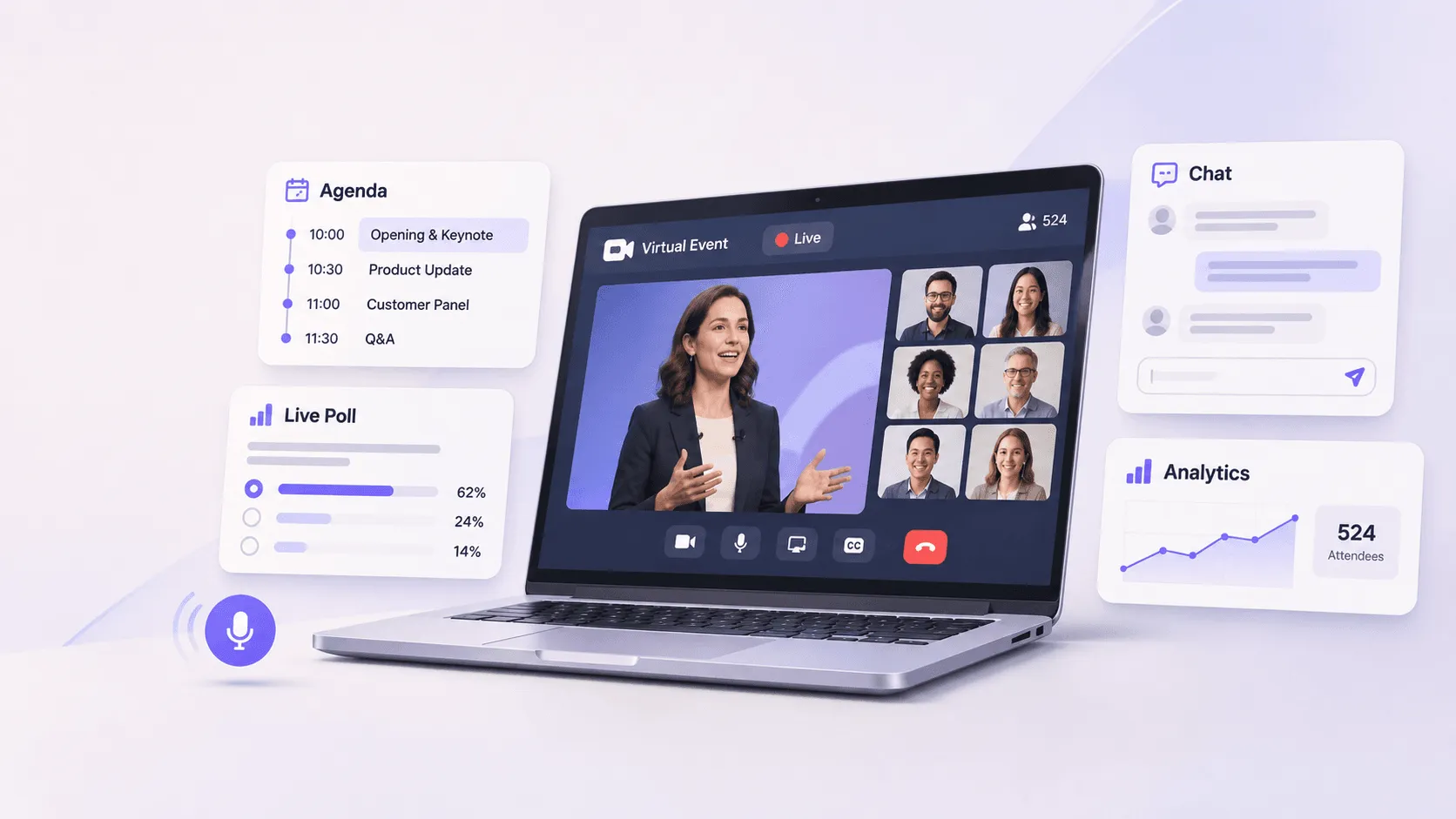
Virtual event fundamentals are the basic decisions that make an online event work: choosing the right format, defining the audience and goal, building the agenda, selecting reliable technology, preparing speakers, creating interaction, promoting attendance, rehearsing the experience, and measuring what attendees actually did.
The mistake is treating a virtual event like a physical event with a camera pointed at it.
A good virtual event is designed for someone sitting alone at a computer with email, Slack, social media, and a dozen other distractions one click away.
That changes almost every planning decision.
Key Takeaways
A good virtual event starts with the audience and outcome, not the platform. The format, agenda, technology, and engagement plan should follow from those two decisions.
The planning process can be reduced to 10 core decisions, from defining the objective and audience to rehearsing, measuring results, and following up.
A simple webinar may only need 6 core capabilities such as registration, email, streaming, Q&A, polls, and analytics. A larger virtual conference can require multiple tracks, networking, sponsors, integrations, support, and more.
The biggest mistake is treating a virtual event like a physical event moved online. Online attendees are one click away from leaving, so every session, interaction, and transition needs a clear reason to exist.
A webinar is usually presentation-led, while a virtual conference often includes multiple sessions, networking, sponsors, and broader attendee participation.
Who is this for: This guide is most useful for event marketers, associations, conference organizers, HR and internal communications teams, and anyone planning a virtual event who needs the fundamentals before choosing tools.
What are the fundamentals of a virtual event?
A virtual event is an organized experience that people attend online rather than at a physical venue. It can range from a 30-minute webinar to a multi-track virtual conference with networking, exhibitors, workshops, live streaming, and on-demand content.
The format changes, but the fundamentals stay surprisingly consistent.
Virtual event fundamental
Question you need to answer
Objective
What should happen because this event exists?
Audience
Who specifically is the event for?
Format
Does the goal require a webinar, workshop, conference, meeting, or another format?
Content
What makes attending worth the time?
Technology
What does the attendee actually need to do online?
Registration
How easily can someone understand and join the event?
Promotion
How will the right audience discover it?
Engagement
What gives attendees a reason to participate instead of watching passively?
Production
Who controls speakers, video, audio, timing, and transitions?
Accessibility
Can different attendees comfortably consume the experience?
Support
What happens when a speaker or attendee has a problem?
Measurement
Which behavior proves the event worked?
Follow-up
What happens after the live broadcast ends?
Technology matters, but it is only one part of the system.
You can have excellent streaming software and still run a bad event. You can also run an effective virtual workshop with relatively simple technology if the audience, content, and interaction are right.
The fundamental question is not, "Which platform has the most features?"
It is, "What experience are we trying to create, and what technology does that experience require?"
What do most teams get wrong about virtual events?
Most weak virtual events fail before anyone presses "Go Live."
The problem usually starts with format.
Someone decides, "We should run a webinar," "Let's make the conference virtual," or "We need an online town hall."
The format becomes the plan.
It should be the opposite.
Start with the outcome.
If the goal is education, you may need a presentation with structured Q&A.
If the goal is discussion, a broadcast to 2,000 silent attendees may be the wrong format.
If the goal is networking, adding a chat box beside a livestream does not suddenly create networking.
If the goal is training, a three-hour sequence of presentations may transfer information but fail to show whether anybody learned it.
The format should follow the job the event needs to do.
This article argues that virtual event fundamentals are less about moving an event online and more about deliberately designing what an attendee will watch, do, and achieve while they are online.
That distinction matters because virtual audiences behave differently from people inside a physical venue.
At an in-person conference, leaving a session requires getting up, walking out of a room, and deciding what to do next.
Online, leaving takes one click.
Your competition is not just another session. It is everything else on the attendee's computer.
Which type of virtual event should you choose?
There is no single virtual event format.
Before building an agenda or comparing software, decide what kind of experience fits the objective.
Format
Best suited for
Typical interaction
Webinar
Education, thought leadership, lead generation
Polls, Q&A, chat
Virtual conference
Multi-session programs and larger audiences
Sessions, networking, exhibitors, chat
Virtual workshop
Skill development and hands-on learning
Breakouts, exercises, discussion
Virtual meeting
Smaller collaborative groups
Video, discussion, screen sharing
Virtual town hall
Leadership or company-wide communication
Live questions, polls, moderated chat
Product launch
Product education and announcement
Live demo, Q&A, videos
Virtual summit
Topic-focused program with several speakers
Keynotes, panels, networking
Online training
Employee, partner, or customer education
Exercises, quizzes, recordings
Virtual career fair
Recruiting and candidate engagement
Booths, meetings, messaging
Virtual community event
Ongoing audience or member engagement
Discussions, activities, networking
If you are still choosing between formats, the guide todifferent types of virtual events goes deeper into the formats that work for different use cases.
One principle matters more than the terminology: do not make the event bigger than its objective requires.
A 45-minute expert discussion does not need to become a virtual conference.
Three hundred people do not automatically require a virtual expo hall.
A small interactive workshop may produce a better experience than a large broadcast with more speakers, more sessions, and more technology.
When should you use a webinar instead?
Webinars work well when one person or a small panel has information that a larger audience wants to hear.
The structure is deliberately unequal. A few people present. Many people listen.
That is not a weakness if education is the goal.
Problems start when organizers expect a webinar format to produce conference-style networking, workshops, community building, or peer discussion.
A useful test is simple:
If the event still achieves its purpose when attendees mainly watch, listen, answer polls, and submit questions, a webinar may be enough.
If the event depends on attendees meeting one another, choosing different sessions, participating in exercises, or exploring content independently, you probably need more than webinar software.
How should you define the goal of a virtual event?
"Run a successful virtual event" is not a useful goal.
Neither is "get engagement."
Define what should change because the event happened.
Examples include:
Generate qualified conversations with potential buyers.
Educate customers about a new product.
Train employees on a specific process.
Give association members access to expert education.
Bring a distributed workforce together for a leadership update.
Create meetings between sponsors and attendees.
Build an ongoing community around a professional topic.
Once the goal is clear, turn it into observable behavior.
If the objective is education, you might care about session completion, questions, quiz responses, or resource downloads.
If it is pipeline generation, registration alone tells you very little. You may care more about attendance by target accounts, session behavior, demo interest, and follow-up activity.
If it is community building, the useful signals might be conversations started, connections made, repeat participation, and activity after the event.
Otherwise, platform features start shaping the event instead of supporting it.
Who exactly is the virtual event for?
"Customers."
"Employees."
"Marketers."
"Association members."
These categories are too broad to design an event around.
A useful audience definition tells you what the attendee already knows, what they need, and why they would give you their time.
Compare these two briefs.
Broad: Marketing professionals interested in events.
Useful: B2B field marketers who already run customer events but need a better way to prove which event activity produces pipeline.
The second version changes the speakers you invite, examples you use, title you write, questions you answer, and follow-up you send.
For virtual events, audience definition is especially important because there is very little environmental context helping attendees understand what the experience is for.
The event page, agenda, email, speakers, and first few minutes have to communicate that quickly.
Define the attendee before building the agenda
Ask:
What problem brings this person here?
What do they already know?
What would be genuinely new to them?
What outcome would make attending feel worthwhile?
What might stop them from joining live?
What would make them leave halfway through?
The last question is often ignored.
It should not be.
Virtual event planning is partly the discipline of removing reasons to leave.
How do you build a virtual event agenda?
A virtual agenda should be built around attention, not around how many speakers you have available.
Physical events can use venue changes, food breaks, hallway conversations, booths, and other environmental changes to reset attention.
Virtual events do not have those natural transitions.
That means a four-hour virtual event should not simply be four consecutive one-hour video calls.
Change the type of participation.
For example:
Part of event
Attendee behavior
Opening
Watch and orient
Keynote
Listen and react
Poll
Respond
Panel
Listen and submit questions
Break
Leave screen
Workshop
Participate
Networking
Talk to another attendee
Closing
Reflect and act
The variety matters more than adding entertainment for its own sake.
Keep each session focused on one job
Every session should answer a specific question.
Instead of:
The Future of Customer Experience
Try:
Which Three Customer Experience Metrics Should Teams Track in 2027?
The second framing gives both the speaker and attendee a clearer contract.
It also makes promotion easier.
Your event marketing team can explain exactly what somebody will get.
Do not confuse more content with more value
Virtual events make it technically easy to add sessions.
That is not always useful.
Five average panels do not become more valuable because they are available on demand.
An attendee should be able to scan the agenda and immediately understand:
what each session will answer,
which sessions are relevant to them,
when they need to attend,
what is live,
what will be recorded, and
where interaction happens.
If the agenda needs a tutorial before attendees can understand it, simplify it.
What technology does a virtual event actually need?
Virtual event technology is the digital venue.
But "virtual event platform" can describe very different products.
Some tools are primarily built for video meetings.
Others focus on webinars.
Others support larger event experiences with registration, content management, multiple sessions, networking, sponsors, attendee profiles, engagement, analytics, and integrations.
Start with the experience requirements.
Requirement
Technology capability to check
Registration
Forms, approval, ticketing, confirmation
Live sessions
Streaming or video conferencing
Recorded sessions
On-demand video
Multiple tracks
Agenda and session navigation
Audience questions
Q&A
Interaction
Polls, reactions, chat
Networking
Direct messaging, meetings, matchmaking
Workshops
Breakout rooms
Sponsor participation
Exhibitor pages, meetings, lead capture
Communication
Email, notifications, SMS or other messaging
Branding
Event website and virtual venue customization
Measurement
Attendance and engagement analytics
Data flow
CRM, marketing, API, or other integrations
Global events
Device, browser, and regional accessibility
Security
Authentication and access controls
Support
Organizer, speaker, and attendee assistance
The point is not to buy every capability in this table.
It is to identify which ones the event actually requires.
A simple webinar might need registration, email, streaming, Q&A, polls, recordings, and analytics.
A global virtual conference may need several times that number of workflows.
When is basic web conferencing enough?
A web conferencing tool can be completely adequate when:
the audience is relatively small,
everyone knows where to join,
the agenda is simple,
there are few sessions,
attendee networking is not a major objective,
branding is secondary, and
detailed event data is not required.
Do not buy a larger event platform just because the event is online.
That adds cost and management work without necessarily making the experience better.
When should you consider a dedicated virtual event platform?
The case becomes stronger when you need to coordinate several parts of the event inside one attendee experience.
For example:
registration before the event,
multiple sessions,
personalized agendas,
speakers,
attendees,
live and recorded content,
notifications,
networking,
exhibitors,
engagement,
analytics, and
post-event content.
A dedicatedvirtual event platform can make more sense when these workflows need to work together rather than exist across disconnected tools.
A useful platform evaluation should therefore start with workflows, not a feature checklist.
What is the hidden cost of virtual event technology?
Virtual events remove some physical costs, but they create a different cost structure.
Teams often look at platform pricing and ignore the work around it.
Your real cost may include:
Cost area
What can create extra work
Platform
License, event, attendee, or usage pricing
Production
Streaming, video editing, graphics
Speakers
Training, rehearsals, technical support
Content
Presentations, videos, downloads
Integrations
CRM and marketing setup
Registration
Form and workflow configuration
Support
Attendee troubleshooting
Moderation
Chat, Q&A, and community management
Accessibility
Captions and accessible content
Promotion
Email, social media, paid marketing
Reporting
Data cleanup and post-event analysis
This is one reason the cheapest software is not automatically the cheapest event.
If a low-cost tool forces your team to manually move registration data, create separate links, troubleshoot attendees across several systems, and combine analytics afterward, the operational cost can quickly become more important than the license difference.
The reverse is also true.
You do not need an enterprise event management system for a 40-person internal discussion.
Match the software to the event.
How should virtual event registration work?
Registration has one job: get the right person from interest to confirmed attendance with as little unnecessary friction as possible.
The registration page should answer four things quickly:
What is this?
Who is it for?
What will I get?
When does it happen?
Everything else is secondary.
For a professional virtual event, useful information may include:
event title,
date and time,
time zone,
speakers,
agenda,
session outcomes,
live versus on-demand availability,
accessibility information, and
registration CTA.
Do not ask for information just because your software allows another field.
Every form field creates a small decision.
Collect what you need to operate, qualify, personalize, or follow up on the event.
If nobody will use "How did you hear about us?" or "Company size?" afterward, reconsider whether it belongs on the form.
Confirm the next step immediately
Registration is not complete when somebody submits the form.
The attendee should immediately understand:
whether registration succeeded,
whether approval is required,
how to add the event to their calendar,
how they will access it,
whether they need to create a password,
whether software needs to be installed, and
when they will hear from you again.
This information reduces avoidable support requests later.
How should you promote a virtual event?
Virtual events are easy to access, but they are also easy to ignore.
Promotion therefore has two jobs:
Get the registration.
Then:
Turn the registration into attendance.
Those are different problems.
A person can register for a virtual event in seconds without making travel plans, blocking an entire day, or spending money.
That lower commitment is useful for acquisition, but it also means registration does not guarantee attendance.
Build promotion around the audience problem
Your strongest promotion usually explains what the attendee will learn or accomplish, not that your event exists.
Weak:
Join our upcoming virtual event with industry experts.
Stronger:
Learn how three field marketing teams connect event engagement to pipeline without rebuilding their reporting stack.
The second gives the reader a reason to care before asking them to register.
If the event is primarily a webinar, use a more specificwebinar promotion strategy rather than treating every online event the same way.
How do you keep attendees engaged during a virtual event?
Engagement is one of the most misunderstood virtual event fundamentals.
Adding a poll does not make an event engaging.
Neither does turning on chat.
Engagement happens when the attendee has a meaningful reason to do something.
Start by deciding what kind of participation improves the event.
Desired behavior
Possible mechanism
Check understanding
Poll or quiz
Surface questions
Q&A
Gather opinions
Poll
Encourage discussion
Moderated chat
Meet peers
Networking or breakout
Practice a skill
Workshop exercise
Choose content
Multiple tracks
Get expert help
Office hours or Q&A
Discover people
Profiles or matchmaking
Continue conversation
Community space
The interaction should serve the content.
Do not interrupt a strong five-minute explanation with a poll simply because the run sheet says "engagement."
Give people a reason to respond
Compare:
Where are you joining from?
with:
Which of these four problems is currently costing your team the most time?
Both are polls.
Only one generates information that can shape the conversation.
The second can help the speaker adapt the session, create discussion, and show attendees how their experience compares with the room.
Design interaction before the event
Do not tell speakers five minutes before the session that they should "make it interactive."
Build interaction into the content.
Mark the run of show:
opening question,
first audience poll,
Q&A checkpoint,
exercise,
discussion,
final audience question.
The producer should know these moments too.
Do not force participation
Not every attendee wants to speak on camera.
Some people prefer chat.
Others prefer polls.
Others want to listen and ask one thoughtful question.
A good virtual experience provides several ways to participate without turning participation into homework.
Why does virtual networking often fail?
Virtual networking often fails because organizers provide a networking feature instead of creating a networking reason.
A blank networking room is not an experience.
Neither is telling 500 attendees to "connect with one another."
Physical events provide natural conversation prompts.
People are sitting beside each other.
They are waiting in the same coffee line.
They just watched the same presentation.
Virtual attendees often need more structure.
Try giving networking a specific purpose.
Examples:
Meet another organizer running events at a similar scale.
Discuss the session's main question with four peers.
Join a table based on your role.
Book a 10-minute conversation with a sponsor expert.
Meet attendees working in the same industry.
Join a post-session discussion hosted by the speaker.
The technology can help people discover and communicate with one another, but the organizer still needs to design the context.
If community is part of the goal, think beyond the live day. Avirtual community around your events becomes more useful when conversations continue before and after individual broadcasts.
How should speakers prepare for a virtual event?
A good stage speaker is not automatically a good virtual speaker.
Online presenters have less environmental feedback.
They may not see the audience.
They cannot always tell whether a joke landed, whether a slide is readable, or whether attendees are confused.
Prepare speakers for the actual environment.
Give every speaker a technical checklist
Before the rehearsal, confirm:
Item
Check
Internet
Stable connection
Browser or app
Correct and updated
Camera
Correct device selected
Microphone
Correct input selected
Headphones
Available if required
Lighting
Speaker clearly visible
Background
Appropriate and not distracting
Slides
Final version loaded
Video
Tested with audio
Screen sharing
Permissions tested
Backup contact
Phone or other emergency channel
Backup content
Presentation available to producer
Rehearse transitions, not just presentations
A speaker may know the material perfectly and still struggle with:
joining the platform,
entering the session,
sharing slides,
playing video,
answering questions,
switching between speakers,
handing control back to the host, or
knowing when the session has ended.
That is why the rehearsal should reproduce the event workflow.
Do not spend the entire rehearsal discussing slide wording.
Depending on event size, production responsibilities can include:
bringing speakers into the session,
confirming audio and video,
controlling the broadcast,
sharing presentations,
managing transitions,
monitoring timing,
launching polls,
watching Q&A,
moderating chat,
communicating privately with speakers,
responding to problems,
triggering backup content, and
coordinating the next session.
For a small event, one producer may handle several of these jobs.
For a large conference, divide them.
The important point is ownership.
If everybody assumes somebody else is watching the attendee chat, nobody is watching it.
Why are rehearsals a virtual event fundamental?
Because the first time you test the actual event should not be in front of the audience.
A rehearsal exposes problems while they are still cheap to fix.
Run the event through the same technology, roles, and transitions you plan to use live.
What should a virtual event rehearsal test?
Test
Question
Speaker access
Can every speaker enter successfully?
Audio
Can everyone be heard clearly?
Video
Are camera and lighting acceptable?
Slides
Can they be displayed correctly?
Video playback
Does video play with sound?
Polls
Are questions and responses configured?
Q&A
Who receives and moderates questions?
Timing
Does the session fit its slot?
Transitions
Who introduces and removes speakers?
Recording
Is it enabled and stored correctly?
Backup
What happens if a speaker disappears?
Support
Who handles attendee problems?
The highest-value rehearsal question is:
What happens if this fails?
If the keynote speaker loses their connection, do you have their slides?
Can the moderator continue?
Is there a backup speaker?
Can you switch to recorded content?
Does the producer know how to contact the speaker outside the platform?
You do not need a disaster plan for every imaginable failure.
You do need one for failures that can stop the event.
What should you do about virtual event technical problems?
Technical problems are not a special category of virtual event planning.
They are part of the attendee experience.
An attendee does not distinguish between "our event was bad" and "our technology failed."
Build support into the event.
Before the event
Tell attendees:
supported browsers,
whether downloads are required,
how to log in,
whether they should test access,
where to get help, and
when the event opens.
During the event
Give attendees an obvious support path.
Do not force somebody with an access problem to search an FAQ while the keynote has already started.
For larger events, separate technical support from content moderation.
The person selecting Q&A questions should not simultaneously be debugging somebody's browser.
Have backup content
A technical delay feels much longer when the screen is empty.
Useful backups might include:
a holding slide,
recorded introduction,
pre-recorded speaker segment,
audience poll,
moderator discussion, or
scheduled break.
The point is not to hide technical problems.
It is to keep attendees informed and give the production team room to recover.
How should accessibility work in a virtual event?
Virtual does not automatically mean accessible.
Attendees may join with different devices, internet speeds, hearing or vision needs, languages, locations, and work environments.
Accessibility therefore belongs in planning, not as a final technical check.
Depending on the audience and event, consider:
captions,
transcripts,
readable text,
clear visual contrast,
keyboard navigation,
screen-reader compatibility,
accessible documents,
alternative text,
interpreters,
recordings,
multiple content formats, and
clear instructions.
Also think about basic access.
If a virtual event only works well on a high-powered computer and fast internet connection, the technology itself can become a barrier.
Test important attendee workflows on the devices your audience is likely to use.
What privacy and security fundamentals matter?
Virtual events collect information.
That can include registration details, attendance, session activity, chat, meetings, poll responses, downloads, and other engagement data.
Do not treat privacy as a footer problem.
Before collecting information, know:
what information you need,
why you need it,
where it is stored,
who can access it,
which systems receive it,
how attendee access is authenticated, and
which privacy policies or organizational requirements apply.
Be particularly careful when event data includes employees, customers, students, members, or other audiences with specific organizational requirements.
The appropriate security setup depends on the event.
A public product webinar and a confidential executive meeting should not necessarily use the same access model.
How should you handle virtual event sponsors?
Moving a physical sponsor package online without changing it usually produces weak results.
A logo on a webpage is not the digital equivalent of a busy exhibition booth.
Start with the sponsor outcome.
Does the sponsor want:
awareness,
content exposure,
leads,
meetings,
product education,
conversations, or
data about attendee interest?
Then design inventory around that outcome.
Sponsor objective
Virtual opportunity
Awareness
Branded session or event placement
Thought leadership
Sponsored educational session
Leads
Content downloads or qualified interactions
Conversations
Meetings or hosted discussions
Product education
Demo or workshop
Networking
Sponsored networking experience
Avoid promising "visibility" without defining what that means.
Digital events can create useful sponsor data, but more data is not automatically more value.
Sponsors usually care about the right people taking meaningful actions.
How do you measure virtual event success?
Start with the objective you defined before the event.
Then build a measurement ladder.
Level 1: Registration
Who registered?
This tells you whether the topic and promotion created interest.
It does not prove that the event worked.
Level 2: Attendance
Who actually attended?
Look beyond the headline number.
Depending on the event, useful information can include:
live attendance,
on-demand attendance,
attendance by audience segment,
attendance by target account,
attendance by session, and
repeat attendance.
Level 3: Engagement
What did attendees do?
Possible signals include:
session viewing,
questions,
poll responses,
chat,
meetings,
networking,
content downloads,
exhibitor interaction, and
feedback.
Do not combine every action into one arbitrary "engagement score" unless the weighting actually reflects business value.
A 30-minute session view and clicking an emoji are not equivalent behaviors.
Level 4: Outcome
What happened after the event?
This is where event reporting becomes useful.
Depending on your objective, outcomes might include:
sales conversations,
qualified leads,
training completion,
employee understanding,
customer adoption,
member retention,
sponsor leads,
community participation, or
repeat registration.
The event does not become successful because the analytics dashboard contains a lot of data.
Measurement works when it tells you whether the intended behavior happened.
What should happen after the virtual event ends?
A virtual event creates a large amount of reusable information and content.
Do not let it disappear when the broadcast stops.
Your post-event workflow can include:
Send the recording.
Share promised resources.
Ask for feedback.
Answer questions that were missed live.
Send relevant follow-up based on attendee behavior.
Give no-shows another way to consume the content.
Repurpose useful event content.
Continue community discussions.
Review attendee and session data.
Record what the team should change next time.
Avoid sending the same generic follow-up to everyone if the event gives you better information.
Someone who attended a technical workshop, asked two questions, and downloaded a product guide has a different context from somebody who registered but never joined.
Your follow-up should reflect that difference when the data and privacy policy allow it.
What usually goes wrong at a virtual event?
Most failures are ordinary.
That is useful because ordinary failures can be planned for.
What goes wrong
Why it happens
Better approach
Low attendance
Team optimized registrations but ignored reminders
Plan the registration-to-attendance journey
Passive audience
Interaction added as an afterthought
Design participation into sessions
Speaker tech failure
No real rehearsal
Test speakers in the actual environment
Confusing agenda
Too many sessions and tracks
Make navigation and session purpose obvious
Empty networking
Feature exists but no reason to use it
Give networking structure and purpose
Weak sponsor value
Physical sponsorship copied online
Design around sponsor outcomes
Support overload
Nobody owns attendee troubleshooting
Assign support responsibility
Long sessions
Physical agenda copied online
Design around online attention
Bad follow-up
Same email sent to everyone
Use actual event behavior
Useless reporting
Team measures everything
Start with the event objective
Tool overload
Too many disconnected systems
Simplify the attendee and organizer workflow
The common pattern is clear.
Teams often focus on what they need to configure.
Attendees care about what they need to experience.
Those are not the same thing.
When do you NOT need a virtual event platform?
You do not always need one.
If your event is a small internal discussion with 12 people who already use the same meeting software, adding registration software, an event website, profiles, an app, and networking features may make the event worse.
Use the simplest setup that can reliably deliver the experience.
A dedicated platform becomes more useful as complexity increases.
That complexity might come from:
audience scale,
multiple sessions,
registration requirements,
content management,
branding,
networking,
attendee communication,
sponsors,
analytics,
integrations,
security requirements, or
repeated event programs.
Do not confuse software sophistication with event quality.
A focused 45-minute virtual workshop can outperform a technically elaborate online conference if the workshop solves a real audience problem.
What is the simplest virtual event planning workflow?
If you strip away individual tools and event types, the fundamentals can be organized into ten decisions.
Step
Decision
1
Define the event outcome
2
Define the specific audience
3
Choose the simplest format that achieves the outcome
4
Build content and agenda around attendee value
5
Identify technology requirements
6
Create registration and promotion
7
Design participation and support
8
Prepare speakers and rehearse
9
Run and monitor the event
10
Measure outcomes and follow up
This sequence is intentionally simple.
Virtual event planning gets difficult when teams make decisions in the wrong order.
Buying technology before understanding the format creates unnecessary software requirements.
Inviting speakers before defining the attendee problem creates disconnected sessions.
Promoting before the agenda is clear creates generic marketing.
Deciding metrics after the event leaves you reporting whatever data happened to be available.
The fundamentals give those decisions an order.
What does a good virtual event look like from the attendee's side?
An attendee should not need to understand how much work went into the event.
They should experience a clear journey.
Before the event:
"I understand why this is relevant to me."
At registration:
"Signing up was easy, and I know what happens next."
Before going live:
"I know when and where to join."
On arrival:
"I immediately understand where I am and what I can do."
During the session:
"The content is worth my attention."
During interaction:
"I know how to participate if I want to."
During transitions:
"I know what is happening next."
If something breaks:
"I know where to get help."
After the event:
"I can access what I need and know what to do next."
That is the attendee experience.
Everything else is production machinery.
What should first-time virtual event organizers prioritize?
If this is your first virtual event, resist the temptation to build everything.
Prioritize five things:
1. One clear audience.
Know exactly who should attend.
2. One clear outcome.
Know what you want the attendee to learn, do, or decide.
3. Strong content.
Virtual production cannot rescue content nobody wants.
4. Reliable delivery.
Test the technology, speakers, and attendee access.
5. Intentional interaction.
Give the audience useful ways to participate.
Everything else can grow as the program grows.
You can add more tracks, networking, sponsors, gamification, community features, and sophisticated data workflows when the event actually needs them.
What changes for larger virtual conferences?
Scale does not fundamentally change the rules.
It increases the number of things that can fail.
A larger virtual conference may require:
more detailed project management,
speaker management,
multiple producers,
simultaneous sessions,
attendee segmentation,
sponsor workflows,
content management,
moderation teams,
technical support,
structured networking,
integration testing,
data governance, and
more detailed contingency plans.
The attendee still judges the experience through small interactions.
Can I register?
Can I log in?
Can I find my session?
Can I hear the speaker?
Can I ask a question?
Can I get help?
A technically sophisticated event still fails if these fundamentals are poor.
For a deeper planning reference, thevirtual event platform guide covers the wider event journey from planning through delivery.
What changes for virtual events in the US and UAE?
The fundamentals remain the same, but global programs need additional operational decisions.
For events serving US audiences, time zones can quickly become a content decision rather than just a calendar decision. An event designed for both East Coast and West Coast attendees may require different scheduling, recordings, or repeated sessions.
For UAE audiences, organizers may also be serving attendees across the Middle East, Europe, Asia, and other regions.
Check:
attendee location,
local time zones,
working weeks and holidays,
language needs,
accessibility requirements,
communication channels,
data and privacy requirements, and
regional speaker availability.
Do not choose a "global" time and assume it is equally convenient for everyone.
Sometimes the best virtual experience is to run the same important session twice or combine a live broadcast with useful on-demand access.
What is the difference between a virtual event and a hybrid event?
A virtual event is attended online.
A hybrid event has both physical and remote participants.
The difference sounds simple, but hybrid events create an additional design problem: two audiences need to experience the same event through different environments.
A remote attendee cannot see what is happening in the hallway.
An in-person attendee may not be watching online chat.
A question asked in the room may be inaudible online unless somebody manages microphones properly.
That means hybrid event design should not simply add a livestream to a physical venue.
Each audience needs deliberate access to content, communication, and interaction.
If there is only one audience attending online, keep the experience optimized for virtual participation instead of adding hybrid complexity that nobody needs.
What should you remember before planning your next virtual event?
Start with people, not software.
Virtual events work when the organizer understands three things clearly:
Why should this audience attend?
What should they do while they are there?
What should happen afterward?
Once those answers are clear, the rest becomes easier to evaluate.
The agenda exists to deliver the outcome.
The technology exists to deliver the agenda.
Engagement exists to help the audience participate.
Marketing exists to bring the right people into the experience.
Analytics exist to tell you whether it worked.
That is the real foundation of virtual event planning.
Virtual Event: Frequently Asked Questions
Virtual event fundamentals are the core planning elements required to run an effective online event. They include the audience, objective, event format, content, technology, registration, promotion, engagement, speaker preparation, production, support, measurement, and follow-up.
The most important part is a clear reason for the audience to attend. Technology can deliver the event, but it cannot compensate for content that does not solve a relevant problem or give attendees something worthwhile.
A webinar is usually a presentation-led virtual format where a small number of speakers address a larger audience. Virtual events can also include conferences, workshops, networking, exhibitions, training, meetings, and multi-session programs.
The required technology depends on the format. A simple event may only need registration, email, web conferencing, and analytics, while a larger virtual conference may require streaming, multiple tracks, networking, engagement tools, sponsor functionality, integrations, and support.
There is no universal ideal length. The event should be long enough to achieve its objective without adding sessions simply to make the program look bigger. Break longer events into different types of participation rather than running consecutive presentations.
Give attendees meaningful opportunities to act through Q&A, polls, workshops, discussions, networking, exercises, or other participation that supports the session. Interaction should help the audience achieve the event's goal rather than exist as decoration.
Yes, especially when speakers, live video, screen sharing, presentations, polls, or multiple production roles are involved. A rehearsal should test the actual technology, transitions, responsibilities, and backup plan rather than only reviewing presentation content.
Measure from the event objective backward. Useful metrics can include registrations, attendance, session behavior, questions, poll responses, meetings, content downloads, feedback, qualified leads, learning outcomes, or another result connected to why the event was created.
Use a dedicated platform when the experience requires several connected workflows such as registration, multiple sessions, attendee communication, networking, content, sponsors, analytics, and integrations. Small meetings or simple webinars may not need that level of software.
Common causes include unclear objectives, weak content, overly long sessions, poor speaker preparation, technical failures, passive formats, confusing navigation, weak promotion, unstructured networking, and measuring the wrong things.