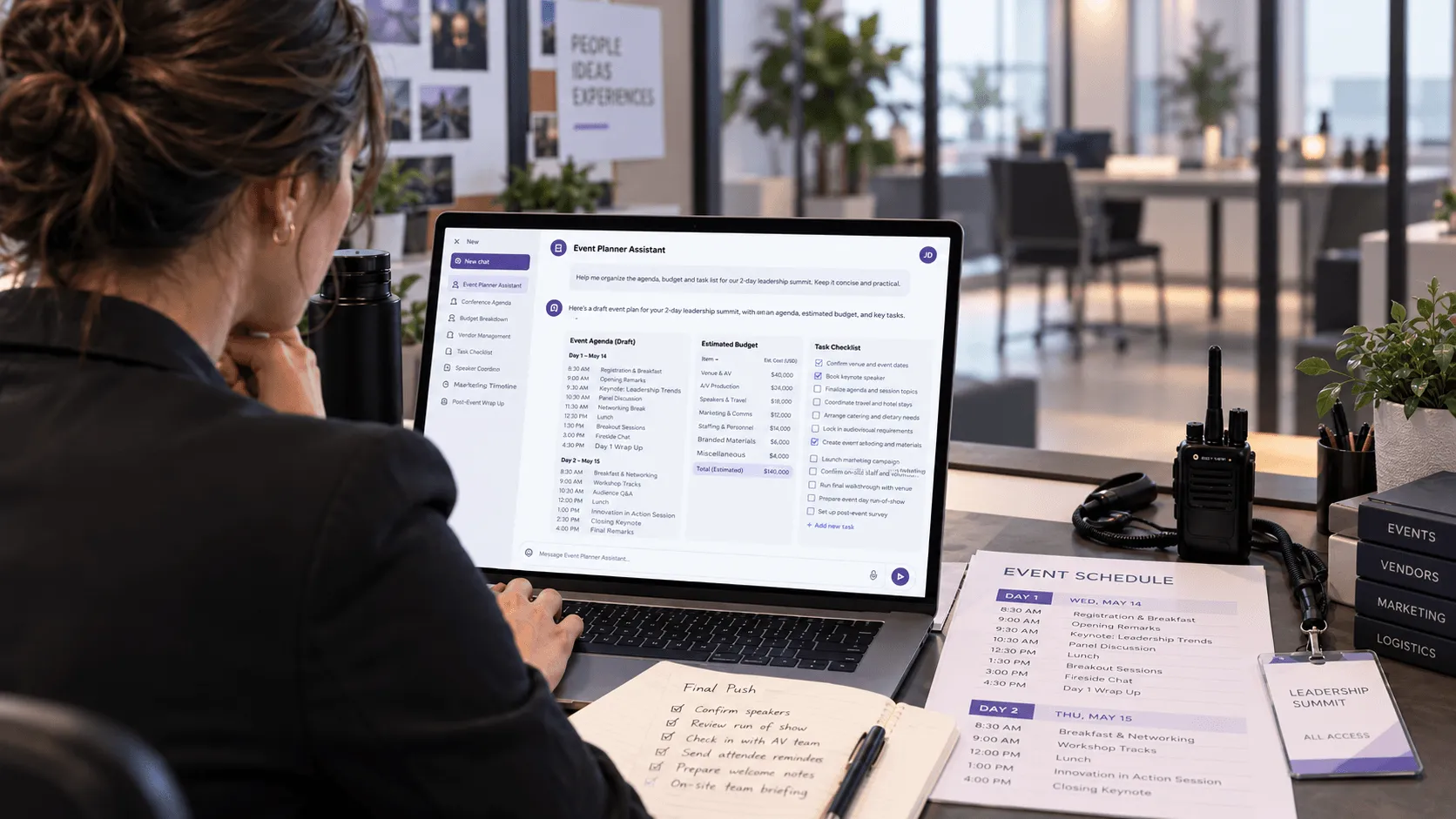
You can use ChatGPT for event planning to build agendas, estimate budgets, draft emails, compare vendors, create marketing content, and analyze event feedback. It works best as a planning assistant. For live registration, check-in, badge printing, and attendee communication, you still need reliable event management software.
The mistake is thinking ChatGPT should help with everything.
Ask it to brainstorm 20 event themes, and you'll probably get something useful.
Ask it whether 300 attendees have checked in, and the answer is meaningless unless it has access to your actual event data.
That difference matters.
This guide covers 12 practical ways to use ChatGPT before, during, and after an event. Each includes a prompt you can copy, the information ChatGPT needs, and what you should check before acting on its answer.
Key Takeaways
ChatGPT is better at preparing work than executing it. Use it for agendas, vendor comparisons, emails, budget analysis, and planning documents. Use connected software for real event operations.
A useful prompt needs 5 things: Event context, goal, constraints, available data, and the output format.
12 practical use cases are covered, from initial brainstorming and marketing to live-event contingencies and reporting.
Event data changes the quality of the answer. ChatGPT can analyze a CSV containing actual registrations or expenses. It cannot reliably tell you what's happening at your event without that information.
The overlooked cost is the handoff. If AI creates a plan that someone must manually rebuild across five different tools, you may not have saved much time.
This blog is best for: Conference planners, corporate event teams, association organizers, event marketers, and agencies managing several events.
What Can ChatGPT Actually Do for Event Planners?
ChatGPT is an artificial intelligence assistant that can help event professionals research, write, organize information, analyze uploaded files, and develop planning workflows.
It can generate ideas from a brief, compare alternatives using supplied criteria, and help turn messy information into usable documents.
OpenAI also supports file analysis and connected-app capabilities, although access to particular features depends on the account, workspace, and integrations.
The distinction is between creating an answer and completing a task.
Event planning task
What ChatGPT can do
What still needs to happen
Event strategy
Suggest goals, formats, and themes
Organizer approves direction
Budget planning
Categorize costs and calculate scenarios
Finance confirms actual pricing
Venue research
Build evaluation criteria
Team verifies availability and contracts
Event agenda
Draft sessions and timing
Speakers and production team confirm
Event marketing
Write email, blog, and social media content
Team approves and publishes
Registration
Draft forms, questions, and confirmations
Registration software collects responses
Event check-in
Design staffing and contingency plans
Check-in system verifies attendance
Attendee engagement
Generate poll, quiz, and networking ideas
Event app delivers the experience
Event reporting
Analyze uploaded data and draft findings
Team verifies data and decides actions
There is one exception worth understanding.
When ChatGPT is connected to external software that supports actions, it may be able to perform certain tasks directly, subject to permissions and approval.
Without that connection, a polished ChatGPT answer is still just an answer.
How Should You Write ChatGPT Prompts for Event Planning?
Most weak ChatGPT outputs come from vague instructions.
"Help me plan a conference" gives ChatGPT almost no information about the event.
It doesn't know the audience, budget, format, or success criteria. The result is usually a generic checklist.
A better prompt includes five inputs.
Input
What to tell ChatGPT
Example
Context
What event you're organizing
B2B technology conference
Goal
What success looks like
Generate qualified sales conversations
Constraints
Limits it must respect
300 attendees, one day, $40,000 budget
Information
Facts and available resources
Confirmed speakers, venue details
Output
How you want the answer
Table with owners, deadlines, and dependencies
A master ChatGPT prompt for event planners
Copy this prompt and replace the details with your own event information.
Act as an experienced corporate event planner.
I'm organizing a one-day B2B conference for 300 attendees in Chicago.
Our goals are to generate qualified business leads, create networking opportunities, and deliver useful educational sessions.
We have a planning budget of $40,000, a team of four, and 12 weeks until the event.
Help me build an event plan covering strategy, budget, venue requirements, registration, marketing, speakers, logistics, attendee engagement, and post-event reporting.
Return a table with the task, owner role, deadline, dependency, estimated cost, and risk.
Ask me five important questions before creating the plan. Do not invent vendor prices or confirmed event details. Label assumptions clearly.
The last instruction is especially useful.
Instead of filling every information gap with a guess, you're asking ChatGPT to identify what it doesn't know.
How Can You Use ChatGPT to Plan an Event From Start to Finish?
Here are 12 jobs worth testing with ChatGPT, organized around the actual event planning workflow.
1. Brainstorm event themes and formats
Best for: Early event strategy, creative concepts, and testing whether an idea fits the target audience.
ChatGPT can help with brainstorming, but don't start by asking for "10 creative ideas."
Start with the business problem.
A corporate marketing event designed to generate pipeline needs different ideas from an internal company offsite designed to improve employee connections.
Prompt:
We're organizing a networking event for 150 senior marketing leaders in New York.
The goal is to create meaningful peer conversations rather than fill the day with presentations.
Suggest five event formats. For each, explain who it suits, why attendees would participate, the estimated staffing complexity, and the biggest execution risk.
Avoid generic conference formats. Prioritize ideas that work with a small organizing team.
What to check: Whether the suggested formats are realistic for your venue, audience, budget, and available staff.
An unusual event theme is not useful if it creates three more weeks of production work without improving the attendee experience.
2. Build an event budget and pricing scenarios
Best for: Establishing budget categories, evaluating tradeoffs, and spotting missing costs.
ChatGPT can prepare a budget and organize expense information, especially when you supply actual vendor quotes.
It should not be your source for current market pricing without verification.
Prompt:
Create a budget for a 300-person, one-day business conference in Dallas.
Our maximum budget is $50,000.
Include venue, catering, AV, speakers, staffing, event technology, marketing, signage, accessibility, and a contingency reserve.
Show estimated allocation, assumptions, and information needed to confirm each cost.
Create three scenarios: minimum viable event, expected event, and higher-production event.
Do not present illustrative numbers as real vendor quotes.
For budgeting, the useful output isn't necessarily the first number ChatGPT suggests.
It's the list of assumptions that need verifying.
That includes costs teams often discover late: venue overtime, Wi-Fi, freight, badge printers, payment processing, sponsor requirements, and equipment backup.
For a Dubai conference, you should also account for relevant local taxes, supplier terms, and any permit requirements. Those need verification against the actual venue and event.
3. Compare venues, vendors, and suppliers
Best for: Turning several proposals into a decision-ready comparison.
Suppose you've received three catering proposals, all with different pricing structures.
Rather than reading them repeatedly, upload the files and ask ChatGPT to extract comparable information.
Prompt:
Compare these three catering proposals for our 250-person corporate event.
Create a table showing total cost, per-person cost, menu options, dietary accommodations, staffing, service times, overtime charges, cancellation terms, and exclusions.
Use only information in the supplied documents.
Highlight missing information separately.
Do not recommend a vendor until you've shown the tradeoffs.
This works for AV, venues, photography, event technology, and other vendor decisions.
Where it goes wrong: One proposal includes taxes, setup, and staffing. Another quotes only the base service.
If ChatGPT compares the headline prices without accounting for exclusions, the cheapest proposal can appear better than it really is.
Always review the original contract before choosing a vendor.
4. Create an event timeline and planning checklist
Best for: Breaking a large project into manageable tasks.
A checklist tells you what needs doing.
A useful event planning timeline tells you what needs doing, who owns it, when it's due, and which other task it blocks.
Prompt:
We're 10 weeks away from a 400-person association conference.
Create a week-by-week planning timeline covering venue, speakers, sponsors, event registration, marketing, catering, AV, staffing, check-in, and reporting.
For each task, include an owner role, deadline, dependency, and completion criteria.
Identify the five tasks most likely to delay the event if they slip.
Take the output into your project management system or shared planning document.
Don't maintain a separate ChatGPT checklist if your team already works from one central project tracker.
5. Build an event agenda and run of show
Best for: Session sequencing, timing, and identifying scheduling conflicts.
An agenda is what attendees see.
A run of show is what the team operating the event follows.
Both need to work, but they're not the same document.
Prompt:
Build a one-day conference agenda for 250 attendees.
We have two rooms, six confirmed speakers, one keynote, four breakout sessions, lunch, and a networking reception.
The event runs from 9 AM to 5 PM.
Allow time for speaker changes, AV checks, breaks, attendee movement, and room resets.
Return two tables: a public attendee agenda and a detailed production run of show.
Flag timing conflicts and assumptions. Do not invent speaker availability.
A common failure is a schedule that looks perfect on paper but has no room for people to move between sessions.
ChatGPT may put a keynote ending at 10:30 AM and the next session starting at 10:30 AM.
That ignores audience movement, stage resets, microphone changes, and late-running speakers.
For the operational side, use arun of show template that includes cues, owners, and production responsibilities.
6. Write event invitations and email campaigns
Best for: Drafting email copy, segmenting messages, and planning event communication.
Event marketing involves more than sending a registration announcement.
You may need save-the-date emails, invitations, speaker announcements, registration reminders, confirmation emails, logistical instructions, and post-event follow-ups.
ChatGPT can draft each message.
Prompt:
Write a four-email invitation campaign for a B2B marketing conference.
Target audience: Marketing directors and event leaders at mid-sized US companies.
Main value: Learn practical ways to connect events to revenue.
Tone: Conversational, specific, and professional.
Create a campaign table with send timing, audience segment, message goal, subject line, preview text, and CTA.
Then draft each email under 150 words.
Avoid exaggerated claims, fake urgency, and generic marketing language.
You can also ask ChatGPT to personalize different versions for sponsors, speakers, VIP attendees, and prospective customers.
But personalization needs accurate data.
For example, don't let AI invent a relationship with a recipient or imply they attended a previous event without checking.
Once the copy is approved,event registration software can handle registration forms, confirmations, segmentation, and scheduled attendee emails.
7. Create event marketing content for social media and blogs
Best for: Turning one event announcement into several channel-specific assets.
You probably don't need a separate brainstorming session for every LinkedIn post, newsletter, Instagram caption, and website announcement.
Instead, provide ChatGPT with one approved event brief and ask it to adapt the message.
Prompt:
Using the attached event brief, create a two-week promotional content calendar.
Include LinkedIn posts, email newsletter content, an event website FAQ, and three short blog ideas.
For each asset, identify the target audience, message, channel, CTA, and planned publication date.
Only include confirmed speakers and claims supplied in the brief.
Avoid repeating the same message across every channel.
Marketing channel
Useful ChatGPT output
What to verify
LinkedIn
Posts and speaker announcements
Facts, tone, and links
Instagram
Captions and visual concepts
Image rights and event branding
Email
Subject lines and invitation copy
Audience segments and sending rules
Event website
Descriptions and FAQ content
Dates, pricing, policies
Newsletter
Event preview and registration CTA
Relevance to subscribers
Facebook
Community-focused announcements
Audience fit and event details
You can ask for advertising copy, hashtags, social media marketing ideas, and search engine optimization suggestions too.
Just don't assume that producing more content automatically produces more registrations.
Measure which messages actually bring the right audience.
8. Draft registration forms and attendee FAQs
Best for: Designing better questions before building an event registration form.
ChatGPT can help you identify what information you need from attendees.
The bigger opportunity is figuring out what you don't need to ask.
Prompt:
Design a registration form for a corporate leadership summit with 500 attendees.
We need attendee contact information, company details, ticket category, dietary requirements, and accessibility requests.
Recommend required and optional fields.
Explain the purpose of each field and which questions could be removed.
Also draft 10 FAQs covering registration, cancellations, travel, accessibility, dress code, and event access.
Check the questions against your privacy requirements and applicable data protection rules.
Don't collect personal information just because it might be useful later.
ChatGPT can draft an FAQ or help desk response, but it should not make up answers about refunds, cancellations, ticket availability, or access permissions.
Those need to match your approved event policies.
9. Plan attendee engagement and networking activities
Best for: Generating activities suited to different audience types.
Attendee engagement isn't about adding more games, polls, or entertainment.
It's about giving people a reason to participate.
For example, a group of senior executives may prefer guided peer discussions over public trivia competitions.
Prompt:
Suggest six attendee engagement activities for a 200-person leadership conference.
Audience: Senior business leaders.
Goal: Encourage meaningful networking without forcing people into awkward icebreakers.
Each activity must take less than 20 minutes.
Explain the setup, facilitation needs, ideal group size, accessibility considerations, and how we could measure participation.
ChatGPT can generate poll questions, discussion topics, icebreakers, gamification concepts, and networking formats.
Anevent app can then provide the actual tools for delivering activities such as live polls, Q&A, networking, and attendee notifications.
The important question is whether the activity improves the experience, not whether artificial intelligence suggested something interesting.
10. Prepare event check-in and contingency plans
Best for: Identifying operational risks before the doors open.
This is an overlooked use of ChatGPT.
Many guides explain how AI can write a welcome email but barely discuss what happens when 400 people arrive at the same registration desk.
ChatGPT is useful for thinking through scenarios.
Prompt:
I'm managing event check-in for 600 attendees.
We have three check-in desks, two badge printers, and a 45-minute peak arrival window.
Create a staffing and contingency plan covering QR code problems, missing registrations, last-minute guests, incorrect badge details, network outages, and printer failure.
Identify the decisions staff must escalate to the event manager.
Include a pre-event test checklist and a plan for handling VIP arrivals.
The numbers in this prompt are scenario inputs, not a staffing recommendation.
You would still need to test actual arrival throughput and determine whether three desks are enough.
What ChatGPT cannot do by itself: Verify attendee identity, scan QR codes, update live attendance records, or print badges.
Can ChatGPT Actually Manage Your Event, Not Just Help Plan It?
Yes, in certain setups, but there's an important distinction.
Using ChatGPT alone: You ask a question, and it creates information or an output.
Using ChatGPT with connected event software: Depending on the integration and permissions, you may be able to retrieve event information or execute supported tasks.
Task
ChatGPT without an event integration
ChatGPT with a suitable event integration
Draft registration email
Yes
May also create it inside the platform
Suggest agenda changes
Yes
May update sessions and agendas
Summarize attendee data
Requires supplied files
May access permitted current records
Create a survey
Can draft questions
May create the survey
Send event notifications
Drafts messages
May send them with appropriate authorization
Analyze registrations
Requires supplied data
May retrieve current registration information
Handle physical check-in
No
Still needs on-site check-in infrastructure
Print attendee badges
No
Still needs compatible printing hardware and software
This is where Model Context Protocol (MCP) and other supported app integrations become relevant.
MCP provides a way for AI applications to connect with external tools and data sources. What the assistant can actually do depends on the connected system, available actions, and permissions.
Nunify, for example, has documented capabilities for managing agendas, speakers, notifications, polls, surveys, registration pages, and event analytics through an AI connection.
However, organizers should confirm which AI assistant integrations are currently enabled for their account. A documented connection is not proof that every action is available in every workspace.
And even with AI connections, organizers should review changes that affect attendees, money, or live event operations before approving them.
The goal isn't to put artificial intelligence in charge of your event.
It's to reduce the gap between deciding what needs to happen and making it happen.
When Should You NOT Use ChatGPT for Event Planning?
Sometimes the best approach is not to involve ChatGPT.
Situation
Better approach
Sending routine registration confirmations
Configure an automatic confirmation in registration software
Checking whether someone has arrived
Check the live attendance dashboard
Printing badges
Use the event check-in and badging system
Confirming venue availability
Contact the venue or check its live booking system
Approving contracts
Use legal and procurement review
Handling sensitive attendee records
Follow your organization's approved data processes
Running a small, repeatable meeting
Use your existing checklist or calendar
Making urgent on-site safety decisions
Follow established event safety procedures
Also consider the review cost.
If ChatGPT spends seconds producing a document but your team spends an hour correcting and transferring it, the workflow may not be an improvement.
The same applies to subscriptions.
You don't necessarily need to pay for several AI tools to run a straightforward event. Review pricing against the work they replace and the frequency with which your team needs those capabilities.
How Can Event Teams Start Using ChatGPT Without Creating More Work?
Don't begin by asking the whole organization to use AI for everything.
Pick one repeated task that your team already understands.
For example, preparing attendee communication for multiple events.
A simple 5-step pilot
Choose one recurring task, such as drafting event invitation emails.
Collect the approved event information and examples of past messages.
Create a reusable ChatGPT prompt with clear restrictions.
Review the output, and record what needed correction.
Compare total working time with your existing process, including review and publishing.
A small test answers three questions that matter more than the number of AI features available.
Did it save time?
Was the output accurate enough to use?
Did it create new work somewhere else?
If the answer is yes, yes, and no, you have a useful workflow.
Then test the next task.
Final Takeaway
The best way to use ChatGPT for event planning is to give it work that benefits from thinking, organizing, writing, or analyzing.
Let it help draft the agenda, compare supplier proposals, build communication plans, and explain your event data.
But don't confuse a finished AI response with a finished event task.
The real improvement happens when less work is left for the planner after AI produces its answer.
FAQs
Yes. ChatGPT is useful for brainstorming, budget planning, agendas, vendor comparisons, event marketing, and post-event reporting. It works best when organizers provide accurate information and review the results.
Yes. ChatGPT can draft a plan covering budgets, logistics, registration, communications, staffing, and timelines. However, the organizer must verify assumptions, assign owners, confirm suppliers, and execute the plan.
The best prompts specify the event type, target audience, objectives, constraints, available data, and desired output. Prompts that ask ChatGPT to identify missing information and flag assumptions are especially useful.
Yes. It can organize cost categories, calculate scenarios, and analyze uploaded vendor quotations. Real venue, catering, staffing, and technology prices should be verified with suppliers.
ChatGPT can draft invitation emails and reminders. Sending them to attendees requires an appropriate connected email or event communication system with the necessary permissions.
Not by itself. A connected event platform may let an AI assistant perform certain registration-related actions, but live attendance verification and physical check-in still need appropriate event software and on-site processes.
That depends on the data, account type, organization's policies, and applicable privacy rules. OpenAI states that ChatGPT Business workspace data is not used for model training by default, but teams should still review access permissions and avoid unnecessary personal information.
Yes, if you supply accurate expense, attendance, revenue, and attribution data. ChatGPT can calculate and explain metrics, but it cannot establish financial return from registration totals alone.
ChatGPT can reduce repetitive writing, research, and analysis tasks. It does not replace the judgment, vendor relationships, attendee care, and real-time decisions required to deliver an event.