
Blog

What Is a Webinar? How Webinars Work [Beginner's Guide]

Debbie Ashford

July 28, 2026

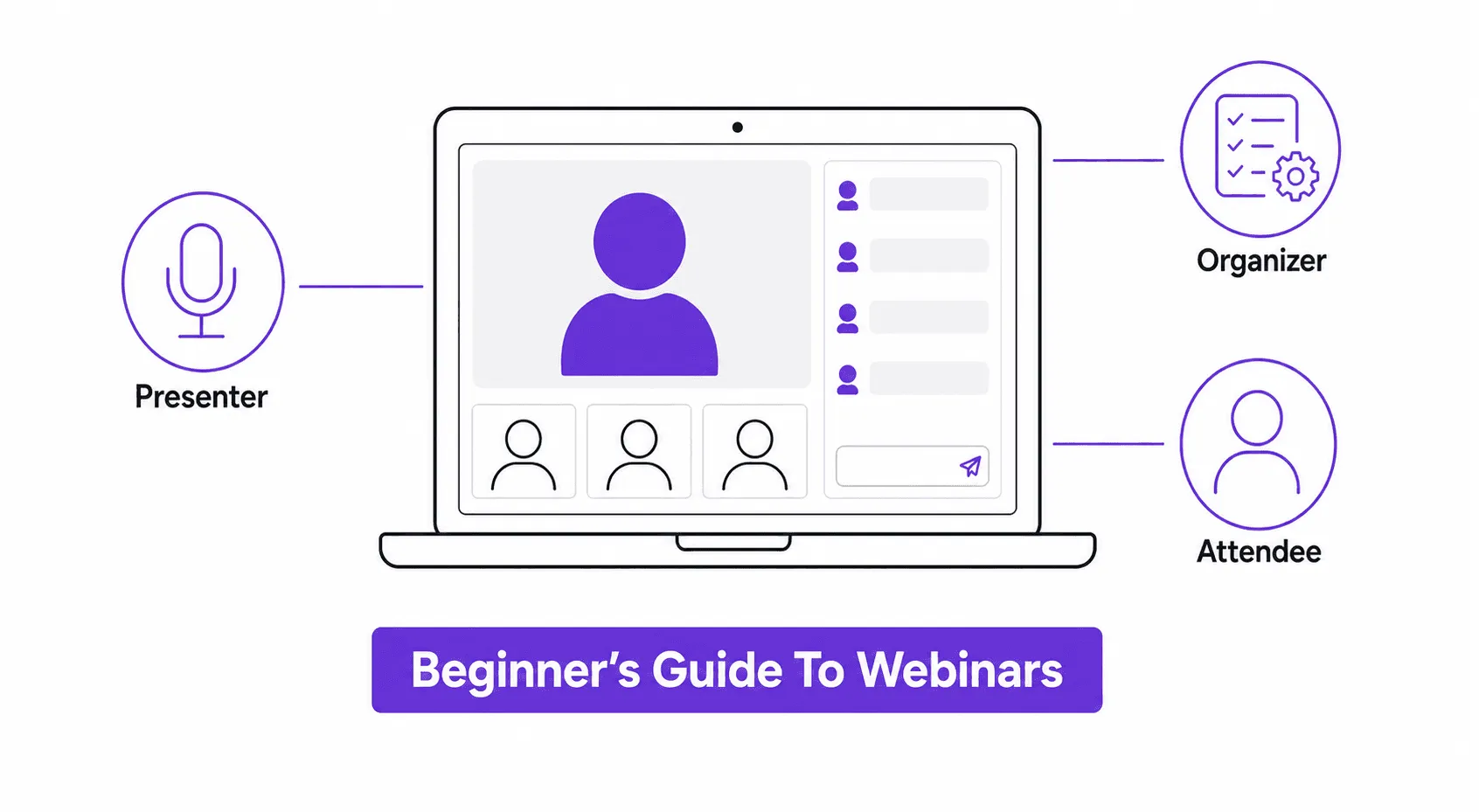
Illustration showing what a webinar is and how webinars work, with icons for presenter, organizer, and attendee roles connected to a laptop screen

A webinar is a live or recorded online seminar where a host presents to a remote audience through video, slides, or screen share. It runs on web conferencing software, needs at least one presenter and organizer, and can support anywhere from a handful of attendees to several thousand, with interaction through chat, polls, or Q&A.


That's the definition. How a webinar actually works, and where it breaks, is a different story.


Most guides that answer "what is a webinar" stop at the software. Click here to schedule, click here to go live, click here to download the recording. That's not where first-time organizers get stuck. The real failure point is almost always the handoff between the people running the show, because nobody was told who owns what. This guide covers both: the mechanics, and the part that actually determines whether your webinar works.

What Is a Webinar, Exactly?

A webinar, short for "web seminar," is an online event where a speaker or panel presents to a remote audience. Most webinars build in some form of interaction, like live chat, polls, or a Q&A segment at the end.


A webinar is not the same as a video call or an online meeting. A meeting is a small group collaborating in real time, where everyone can talk and share their screen. A webinar is built for broadcast instead. One or a few presenters lead it, and the audience mostly listens and engages through online chat or polls rather than open mic.


That's also why webinar software looks different from meeting software or social media livestreams. Webinar platforms are built for scale, often supporting hundreds or thousands of attendees. They're also built for control, letting the host manage who can speak, share their screen, or appear on camera. A webinar is gated behind registration and built around a specific audience and objective, not an open feed.


Webinars show up across marketing, sales, and internal communication, and the objective changes what "success" looks like:


Use case

What it looks like

Product demos

Showing a new feature or product to prospects and customers

Training and onboarding

Walking new hires or customers through how something works

Thought leadership

An expert or panel discussing a topic to build brand authority

Lead generation

Gated content that captures registrant information for follow-up

Internal town halls

Company-wide updates delivered to a distributed, often hybrid, workforce


A marketing-led webinar is judged on registrations and leads. A training webinar is judged on whether people retained the information. Decide which one you're running before you build anything, because the two pull the format in different directions.

What Are the Types of Webinars?

Webinars generally fall into a few structural types, and picking the wrong one is a common early mistake.


Type

Format

Best for

Live webinar

Presented in real time, with live Q&A and chat

Product launches, timely topics, anything needing genuine audience interaction

Automated or simulated-live

Pre-recorded but scheduled to play like a live event

Recurring demos or evergreen content that doesn't need a live presenter each time

On-demand

Recorded and made available whenever someone wants to watch

Training libraries, content people watch on their own schedule

Hybrid webinar

Combines a live in-person audience with remote attendees joining virtually

Conferences and events where some people are in the room and some aren't

Panel or multi-speaker

Several presenters, usually with a moderator

Thought leadership, roundtables, diverse perspectives on one topic


Each type uses the same underlying mechanics (registration, a host, an audience) but changes what you need from your platform. A live webinar needs strong real-time tools. An on-demand one needs a good hosting and playback experience more than live chat.

Why Run a Webinar? The Real Benefits

Beyond the format itself, webinars solve a specific set of problems well:


  • Reach without travel cost. You can put a presenter in front of hundreds or thousands of people without anyone booking a flight.
  • Built-in lead capture. Registration data gives you a qualified list of people who cared enough about the topic to sign up. That's a warmer lead than most other content formats produce.
  • Reusable content. A single session becomes a recording, a set of clips, and sometimes a blog post or email series. That extends its value well past the live date.
  • Authority building. A well-run webinar positions the presenter, and the brand behind them, as a credible source on the topic. That's harder to fake live in front of a Q&A than in a static article.
  • Direct feedback loop. Live polls and chat show you in real time what your audience actually cares about, not just what you assumed going in.


The tradeoff is effort. A webinar takes more coordination than publishing an article, which is exactly why the three-role setup below matters.

How Does a Webinar Actually Work? The Three Roles

Every webinar depends on three roles being filled and, critically, on nobody assuming someone else has it covered.


The presenter. Delivers the content. Responsible for the slides, the talk track, and answering questions live. The presenter should not also be checking the registration list or troubleshooting a broken microphone thirty seconds before going live. If you have only one person running the whole thing, decide in advance which job takes priority when something goes wrong, because something usually does.


The organizer. Works behind the scenes before, during, and after the event. This person sets up the registration page, manages email reminders, monitors the chat and Q&A queue during the live session, and pulls the analytics afterward. On a good webinar, the organizer is the person the audience never notices, because everything ran on time.


The attendees. Join through a link, usually after registering in advance. Depending on the platform, they can watch live, ask questions through chat, respond to polls, or download materials. Live attendance typically runs 40 to 50 percent of registrants, so most webinars also offer the recording afterward for the rest.


Here's where most first-timers go wrong: they assume the organizer role is optional if the presenter is confident and the platform is easy to use. It isn't. The organizer is the one who notices registration is lagging three days out. The one who catches that the reminder email didn't send. The one watching the chat when twenty people ask the same access question at once. Skipping this role doesn't make the webinar simpler. It just means the presenter is doing two jobs badly instead of one job well.

The Six Things to Set Up Before You Go Live

Once the roles are assigned, here is the actual sequence of decisions, in order.


  1. Set the objective. Lead generation, product adoption, internal communication, and thought leadership all call for a different structure and a different webinar format. Decide this first, because it changes everything downstream.
  2. Pick the topic. Choose based on what your audience is actually asking about, not what is easiest for the presenter to talk about.
  3. Schedule it. Mid-week days consistently outperform Mondays and Fridays for attendance. For the specific day-and-time breakdown, see how to pick the best time for your webinar.
  4. Promote it. Email and social media do the heavy lifting here, pointed at a registration landing page that makes signing up a 30-second job. Most registrations land in the final week before the event, so build your promotion timeline backward from the date, not forward from your first announcement.
  5. Build the content. Keep slides light. A webinar is a spoken medium, not a document. If attendees can read the whole thing without you talking, you've built a PDF, not a presentation.
  6. Rehearse the handoffs, not just the content. Test the tech, yes. But also walk through who does what if the presenter's audio cuts out, or if the Q&A queue floods. This is the step almost everyone skips. It's also the one that saves the event when something goes wrong.

How Do I Choose a Webinar Platform?

Most comparisons of webinar software focus on streaming quality and attendee caps. Those matter, but they are table stakes at this point. The differences that actually affect your day-to-day running a webinar show up elsewhere.


What to check

Why it matters

Registration and reminder automation

Manual follow-up is where organizers lose the most time

Live analytics during the event

Lets the organizer catch drop-off or engagement issues while there's still time to react

Live chat, Q&A, and polling tools

Determines whether your webinar is a broadcast or a two-way conversation

Streaming media stability and attendee cap

Matters more as your audience size grows past a few hundred

Accessibility features like captions

Increasingly expected, not optional, for both compliance and reach

Post-event data (attendance, engagement, drop-off point)

Feeds directly into whether the webinar met its original objective


Some platforms are now building artificial intelligence into this layer too, for things like auto-generated summaries, live captioning, or turning a recording into follow-up content. Useful, but worth treating as a bonus rather than the reason you picked a platform.


A capable webinar platform should run all of this from one place. The alternative is stitching together a meeting tool, a separate email system, and a spreadsheet for tracking who showed up. That's exactly the manual work the organizer role doesn't have time for.


If your event mixes a live in-person audience with remote attendees, that's a hybrid event rather than a pure webinar. Hybrid formats introduce a step most webinar guides skip entirely: on-site check-in and badging for the in-person half of the room. A virtual events platform built for hybrid events handles registration, ticketing, check-in, and attendance for both audiences in one system. The organizer isn't reconciling two separate attendee lists after the fact.

The Parts of Webinar Setup Most Guides Skip

A few pieces of webinar mechanics rarely get covered, mostly because they only matter once you're running events regularly rather than a one-off.


Registration and ticketing. For most webinars, registration is free and simple: name, email, done. But a paid masterclass series or an event with tiered access needs ticketing built in, not bolted on through a third-party checkout. That's a gap in a lot of pure webinar tools, which assume every attendee is free and equal.


Employee engagement, not just customer engagement. Internal town halls and training webinars get treated as an afterthought by platforms built for external marketing. But an internal audience has different needs, like directory integration. It also has a different success metric: whether people retained the update, not whether they clicked a CTA.


Gamification, used correctly. Points, leaderboards, and badges can lift engagement in a long or recurring webinar series. But they only work if attendees actually use them. Watch engagement after the first hour. Under 30 percent still engaging with the mechanic by then is a signal it's wrong for this audience (Nunify data across 200+ events). The fix is switching the mechanic, not adding more of it.


Mobile app access. A growing share of attendees join from a phone, particularly for internal town halls and shorter sessions. If your platform's mobile experience is an afterthought, so is a chunk of your actual audience.

What Does This Look Like in Practice? A Few Examples

  • A SaaS company runs a monthly live webinar walking through a new product feature. The presenter demos the screen while the organizer fields chat questions live, and the recording gets repurposed into a help-center article afterward.
  • An HR team runs a quarterly town hall as an internal webinar, using directory-based registration instead of a public landing page. A Q&A segment at the end covers company-wide updates.
  • A training provider sells access to a masterclass series as a ticketed, multi-session webinar. Each session builds on the last, and attendees pay for the full series rather than a single session.
  • A conference adds a hybrid webinar track so people who can't travel to the venue can still watch keynotes live and ask questions through chat. The in-person audience uses the room's own Q&A mic.


Each of these is still, structurally, a webinar: a host, an audience joining remotely, and some form of interaction. What changes is the objective, and that's what should drive every setup decision from here.

When You Do Not Need a Webinar

Most guides skip this, but it is worth saying plainly: a webinar is not always the right tool.


  • If your group is under 15 people and everyone needs to talk, use a regular video call instead. Webinar software adds registration friction and broadcast-style controls that get in the way of genuine discussion.
  • If the content works better as a recorded video people watch on their own time, just record it. Completion rates beat forcing a live attendance window on people across time zones.
  • If you need real two-way collaboration, like co-editing a document, a webinar's broadcast structure will fight you the whole way.


Running a webinar by default, rather than because it fits the objective, is one of the more common reasons first-time organizers end up disappointed. The format is popular. That doesn't make it the right tool for every audience.

FAQs

  • A host schedules the session on webinar software, and attendees register in advance through a landing page. The organizer sends reminder emails leading up to the date. On the day, the presenter delivers content live, or a recording plays on schedule, and attendees join through a link. Interaction happens through chat, polls, or Q&A, and most platforms record the session automatically for anyone who couldn't attend live.

  • Webinars are commonly used for product demos, training and onboarding, thought leadership content, lead generation, and internal town halls. The specific use case changes what "success" looks like: a marketing webinar is judged on leads, while a training webinar is judged on retention.

  • The core purpose is reaching a remote audience at scale with live or recorded presentation content, while still allowing interaction through chat, polls, or Q&A. Beyond that, the specific purpose varies: generating leads, training a distributed team, building authority on a topic, or repurposing one session into ongoing content.

  • Most webinars run 30 to 60 minutes. Aim for a brief 2 to 5 minute introduction, 30 to 40 minutes of core content, and time at the end for questions. Longer sessions see engagement drop noticeably after the hour mark.

  • At minimum, a decent microphone and stable internet connection for live streaming. A webcam helps if you want to show your face through videotelephony, though many webinars run on slides and voice alone. Test your microphone and camera before every session, not just the first one.

  • A webinar typically supports live interaction such as chat, polls, and Q&A. A webcast is closer to a one-way broadcast, often used for larger audiences where two-way interaction isn't the goal.

  • Live attendance typically lands between 40 and 50 percent of registrants. This is normal, not a sign your webinar failed, and it's why registration numbers alone are a misleading success metric.

  • Usually it isn't the technology. It's an unclear split of responsibility between the presenter and the organizer. That shows up as nobody handling the chat, the reminder emails, or a technical hiccup while the presenter is mid-sentence.