

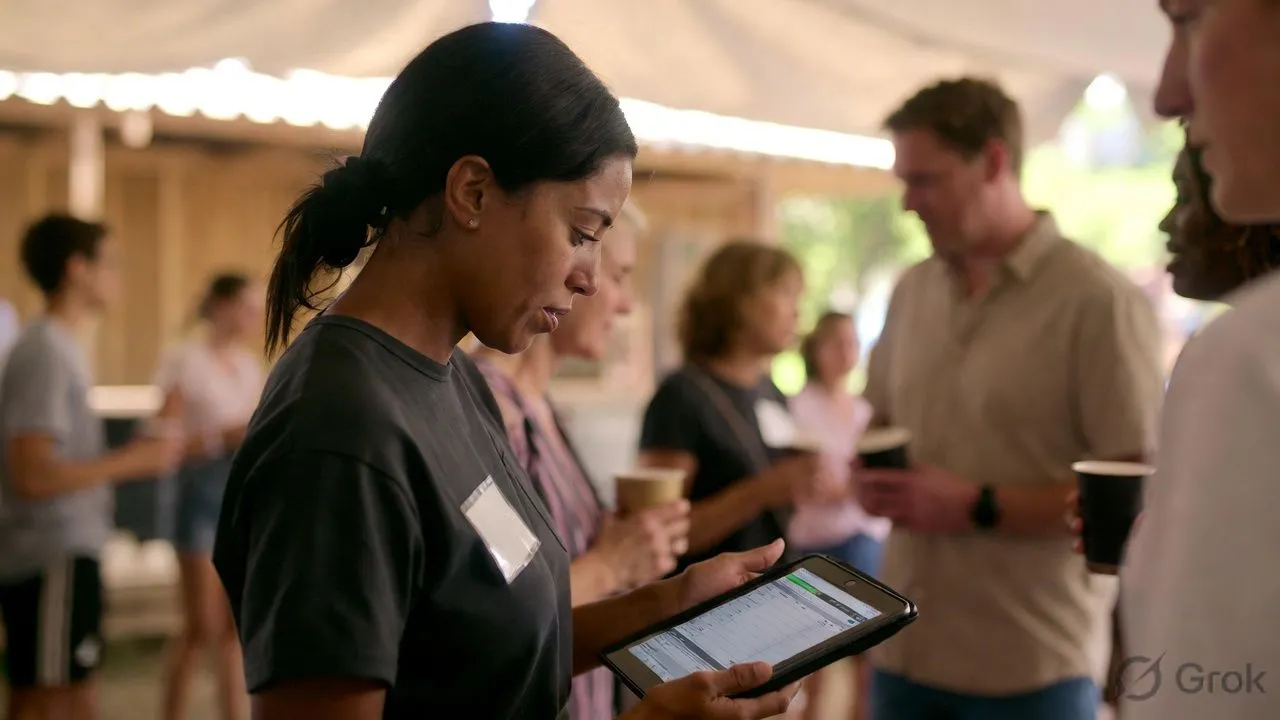
A nonprofit event check-in app needs to do more than scan badges. It must track volunteers separately from attendees, integrate with your CRM and donation platform, produce audit-ready reports for grant compliance, and cost as little as possible. Most event software is built for corporate conferences—here's what actually works for nonprofit fundraisers, galas, volunteer events, and community programs.
What Makes Nonprofit Check-In Different
If your check-in software doesn't connect to your donor database, you're creating manual work that nonprofits can't afford.
Must-Have Features for Nonprofit Check-In
CRM Integration
Your check-in data needs to flow into your donor management system automatically.
Why it matters:
- No manual data entry after the event
- Attendance history attached to donor records
- Enables post-event follow-up segmentation
- Tracks donor engagement over time
Key integrations to look for:
- Salesforce Nonprofit Cloud
- Bloomerang
- DonorPerfect
- Little Green Light
- Network for Good
- HubSpot (free CRM tier)
If your check-in app doesn't integrate: You'll export a CSV after every event and manually match attendees to donor records. For a 200-person gala, that's 2-4 hours of staff time you don't have.
Volunteer Check-In (Separate from Attendees)
Nonprofits track volunteers differently than event attendees.
Volunteer check-in needs:
- Hours tracking (for reporting and recognition)
- Role/shift assignment
- Waiver/background check verification
- Separate reporting from attendee data
Best practice: Use a mobile check-in app that allows multiple "check-in types" — one workflow for event guests, another for volunteers, another for staff.
Donation Integration at Check-In
The check-in moment is a fundraising opportunity.
Options to enable:
- Walk-in ticket purchases
- Donation add-ons ("Add $25 to support our mission")
- Paddle raise / bid number assignment for auctions
- Membership upgrades
OneTap and Givebutter do this well. Most generic check-in software doesn't.
Grant-Compliant Reporting
If you receive government or foundation grants, your check-in data may be audited.
What auditors need:
- Timestamped attendance records
- Unduplicated client counts
- Service delivery documentation (meals served, bed nights, etc.)
- Exportable reports in required formats
HUD-funded programs especially: Homeless services, food banks, and housing programs have strict reporting requirements. Your check-in software must capture timestamps, prevent duplicate entries, and export data in audit-ready formats.
Budget-Friendly Pricing
Nonprofits need free tiers or nonprofit discounts.
Pricing models that work:
- Free tier with reasonable limits (100-500 attendees)
- Nonprofit discounts (30-50% off standard pricing)
- Per-event pricing (not annual contracts)
- No per-attendee fees that scale unpredictably
Pricing models that don't work:
- Enterprise-only pricing ($5,000+ minimums)
- Per-transaction fees on donations
- Annual contracts with no monthly option
Best Check-In Apps for Nonprofits
OneTap
Best for: Food banks, soup kitchens, shelters, service-based nonprofits
OneTap is built specifically for nonprofit attendance tracking. Strong on compliance reporting and simple enough for volunteers to operate.
Strengths:
- HUD-compliant reporting for homeless services
- Timestamp tracking for grant audits
- Simple kiosk mode (iPad on a stand)
- Volunteer-friendly interface—minimal training needed
- Offline mode works reliably
- Integrates with Salesforce and Google Sheets
Weaknesses:
- Badge printing is basic
- Not built for large galas or conferences
- Limited fundraising features
Pricing: Free tier available. Paid plans $49-$199/month with nonprofit discounts.
Verdict: Best choice for service-based nonprofits tracking client visits, meal counts, or volunteer hours. Not the right tool for fundraising galas.
Eventbrite
Best for: Ticketed fundraisers, community events, public programs
Eventbrite's free tier is genuinely free for free events. For paid tickets, fees apply but the platform is familiar to attendees.
Strengths:
- Free for free events (no check-in fees)
- Attendees know how to use Eventbrite tickets
- Mobile app check-in works on any smartphone
- Good for high-volume public events
Weaknesses:
- Per-ticket fees add up for paid events (3.7% + $1.79)
- CRM integration is limited
- Not built for volunteer tracking
- Badge printing requires third-party tools
Pricing: Free for free events. Paid events: 3.7% + $1.79 per ticket.
Verdict: Use for free community events or when ticketing simplicity matters more than donor data integration.
Givebutter
Best for: Fundraising events, peer-to-peer campaigns, galas with auctions
Givebutter is a fundraising platform first, event management second. Check-in is one feature within a broader toolkit.
Strengths:
- Donation integration built-in
- Auction and raffle management
- Peer-to-peer fundraising campaigns
- Free to use (funded by optional donor tips)
- Text-to-give at check-in
- Built-in CRM for donor management
Weaknesses:
- Check-in features are basic compared to dedicated tools
- Not ideal for non-fundraising events
- Reporting less robust for grant compliance
Pricing: Free. Givebutter is funded by optional tips from donors, not fees to nonprofits.
Verdict: Best for fundraising-focused events where donation capture matters more than sophisticated check-in workflows.
Eventleaf
Best for: Nonprofit galas, conferences, award ceremonies
Eventleaf offers nonprofit-friendly pricing with features typically found in expensive enterprise software.
Strengths:
- Free tier (100 attendees)
- Badge printing with custom templates
- Session tracking for multi-part events
- Salesforce and HubSpot integration
- 20+ language support (useful for community organizations)
- Per-attendee pricing keeps costs predictable
Weaknesses:
- Mobile app interface feels dated
- Free tier has Eventleaf branding
- Fundraising features require separate tools
Pricing: Free (100 attendees). Paid: $0.25-$1.00 per attendee. Nonprofit discounts available.
Verdict: Best value for nonprofit galas and conferences needing badge printing without enterprise pricing.
Nunify
Best for: Large nonprofit conferences, multi-day events, hybrid programs
Nunify provides full event management—registration, check-in, engagement, and analytics—in one platform.
Strengths:
- Session-level tracking for conferences
- Badge printing with kiosk support
- Hybrid event support (in-person + virtual attendees)
- Strong analytics dashboard
- Offline mode tested across 200+ events
- Custom integrations available (Salesforce, donor databases)
Weaknesses:
- Requires demo for pricing
- More features than needed for simple events
- Better ROI for organizations running multiple events
Pricing: Contact for nonprofit pricing. Per-attendee and annual options available.
Verdict: Best for larger nonprofits running conferences, symposiums, or multi-day convenings. Overkill for a 50-person volunteer appreciation dinner.
Point App
Best for: Volunteer management and tracking
Point App focuses on volunteer coordination, with check-in as part of broader volunteer management.
Strengths:
- Volunteer hour tracking
- Shift scheduling
- Background check integration
- Volunteer recognition features
- Free tier available
Weaknesses:
- Not built for event attendee check-in
- Limited badge printing
- Minimal fundraising integration
Pricing: Free tier. Paid plans from $99/month.
Verdict: Use for ongoing volunteer programs, not event check-in.
Nonprofit Check-In Workflows
Gala / Fundraiser Workflow
- Pre-event: Import guest list from CRM or ticketing platform
- Check-in: Scan ticket QR code → print badge with table assignment
- During event: Capture paddle raise donations, auction bids
- Post-event: Sync attendance + donations back to CRM
Best tools: Givebutter (all-in-one), Eventleaf + donation platform
Volunteer Event Workflow
- Pre-event: Volunteers sign up via form or volunteer management system
- Check-in: Volunteer scans QR or checks in via kiosk
- During event: Track hours automatically
- Post-event: Export hours for recognition, grant reporting
Best tools: OneTap, Point App
Service Delivery Workflow (Food Bank, Shelter)
- Client arrives: Staff checks in client via tablet or kiosk
- Data captured: Timestamp, services received, demographics (if required)
- Unduplicated count: Software prevents double-counting same client
- Reporting: Export HUD-compliant or funder-specific reports
Best tools: OneTap (built for this), custom solutions
Community Event Workflow
- Pre-event: Open registration via free ticketing (Eventbrite)
- Check-in: Scan mobile tickets at entry
- Data capture: Collect emails for newsletter sign-up
- Post-event: Add attendees to CRM for follow-up
Best tools: Eventbrite (free events), Eventleaf (if badges needed)
Budget Breakdown: What Nonprofits Actually Pay
The math for a 200-person gala:
- Eventleaf at $0.50/attendee = $100
- Generic enterprise software = $1,000-$3,000
- Savings: $900-$2,900 that goes to your mission
Common Mistakes Nonprofits Make
Choosing Consumer Tools
Google Forms + manual spreadsheet check-in works for 20 people. At 100+, you'll lose data, create duplicates, and frustrate volunteers.
Ignoring CRM Integration
If check-in data doesn't flow to your donor database, you're doing the work twice. Integration saves 2-4 hours per event.
Overbuying Enterprise Software
A $5,000 Cvent contract makes sense for a hospital foundation running 50 events/year. For a community nonprofit running 4 events/year, it's budget you can't justify.
Forgetting Offline Mode
Community centers and event venues have unreliable WiFi. Test your app offline before the event.